Powerful Electric Blowers for Fast Dust Cleaning, PC Maintenance and Workshops
Is dust building up inside your computer, workshop or home corners? An electric blower clears it in seconds. This page shows the latest blower price in Bangladesh in one place. Compare electric blowers by wattage, airflow and blow-suction features. Then pick the one that fits your cleaning needs.
Every blower we sell is genuine and authentic. Our prices stay updated, and stock status is live. No guesswork.
Why Use an Electric Blower?
Dust is a big problem in Bangladesh. It builds up fast inside computers, machines and hard-to-reach places.
An electric blower pushes out dust with strong airflow. Many models can also suck in dust like a small vacuum. This makes cleaning faster and more thorough.
- Clean dust from desktop PCs, CPUs and power supplies
- Clear workshops, machines and tool areas
- Blow leaves and debris from gardens and rooftops
- Clean car interiors, AC filters and corners
Regular dust cleaning helps electronics run cooler and last longer. A blower is a smart tool for every home, office and repair shop.
Electric Blowers We Offer
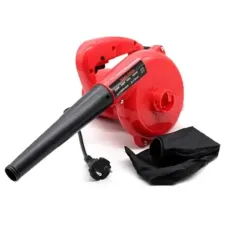
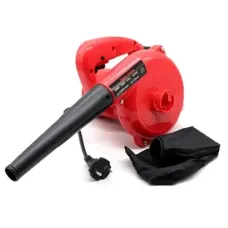
Super Star 2200W Electric Blower
This is our most powerful blower. Its 2200W motor delivers strong airflow for heavy cleaning jobs. It supports both blowing and suction for extra versatility.
Super Star 2000W Electric Blower
The 2000W model balances power and handling. It suits computer shops, offices and home workshops.
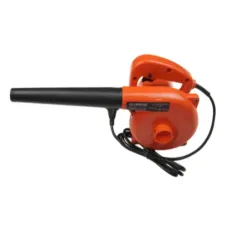
Suprim 1800W Electric Blower
The Suprim 1800W is a lighter, budget-friendly option. It handles everyday dust cleaning for PCs and household corners.
Blower Price in Bangladesh
Blower price in BD depends mainly on wattage, build quality and features. Here is a simple guide.
| Model | Power | Key Strength | Best For |
|---|
| Suprim 1800W | 1800W | Light and affordable | Home and office PC cleaning |
| Super Star 2000W | 2000W | Balanced power | Computer shops, small workshops |
| Super Star 2200W | 2200W | Strongest airflow, blow and suction | Heavy cleaning, workshops, outdoors |
Higher wattage means stronger airflow. Choose more power for workshops and outdoor jobs.
Using a Blower for Computer Cleaning
Dust inside a computer traps heat. This can cause slowdowns, loud fans and even hardware damage.
A blower clears dust from fans, heatsinks and filters quickly. Regular cleaning keeps your desktop computer cool and quiet.
Gamers should clean more often. A clean gaming PC holds higher performance for longer sessions.
Building or upgrading a PC? Keep new computer components dust-free from day one.
High-performance workstations also benefit. Our special PC builds run best when kept clean.
- Shut down and unplug the PC before cleaning
- Take the computer outside or near a window
- Hold fans still while blowing to prevent damage
- Use short bursts, not continuous blasts
Step-by-Step PC Cleaning Guide
Follow these simple steps to clean your desktop safely with a blower.
Step 1: Prepare
Shut down the PC and unplug all cables. Move it to an open area, balcony or near a window.
Step 2: Open the Case
Remove the side panel. Ground yourself by touching the metal case to avoid static.
Step 3: Clean Fans and Filters
Hold each fan still with a finger. Blow dust out in short bursts. Clean the front and bottom dust filters.
Step 4: Clean Heatsinks and GPU
Blow dust from the CPU cooler fins and graphics card. These areas trap the most heat.
Step 5: Clean the Power Supply
Blow air through the PSU vents from outside. Never open the power supply itself.
Step 6: Close and Test
Replace the side panel, reconnect cables and start the PC. It should run cooler and quieter.
How Often Should You Clean?
| Environment | Cleaning Frequency |
|---|
| Air-conditioned office | Every 3 to 4 months |
| Normal home | Every 2 to 3 months |
| Dusty roadside area | Every month |
| Repair shop or workshop | Weekly or as needed |
Dhaka and other busy cities have high dust levels. PCs near open windows or roads need more frequent cleaning.
Other Uses for an Electric Blower
Workshop and Garage
Clear sawdust, metal shavings and debris from tools and benches. A clean workspace is safer and more productive.
Garden and Rooftop
Blow dry leaves, dust and small debris from rooftops, balconies and yards.
Car Cleaning
Remove dust from seats, mats and dashboard corners. Suction mode helps pick up fine dirt.
AC and Appliance Filters
Blow dust out of AC filters and appliance vents for better airflow and efficiency.
Keyboards and Office Equipment
Clean crumbs and dust from keyboards, printers and office machines. Use low power for delicate equipment.
Blowers for Computer Repair Shops
Computer repair and service shops clean many machines every day. A strong blower saves time on every job.
Customers notice cleaner, quieter PCs after service. Offering dust cleaning as part of servicing adds value and builds trust.
- Clean customer PCs before repairs for easier diagnosis
- Offer dust cleaning as a paid service
- Keep the workbench clear of dust and debris
- Clean printers and UPS units during maintenance
A 2200W blower handles busy shop workloads. Keep a lighter model for delicate tasks and laptops.
Why Dust Harms Electronics
Dust acts like a blanket on computer parts. It blocks airflow and traps heat inside the case.
High temperatures slow down processors and graphics cards. Over time, heat shortens component life. Dust can also absorb moisture in humid weather, which may cause electrical problems.
Regular cleaning with a blower is a cheap way to protect expensive hardware. It costs far less than replacing a damaged part.
Key Features to Check Before You Buy
Wattage and Airflow
Higher wattage gives stronger airflow. 1800W suits home use, while 2200W suits heavy jobs.
Blow and Suction Modes
Dual-function blowers can blow dust out or suck it in. This doubles their usefulness.
Speed Control
Variable speed helps you clean delicate electronics gently and heavy areas powerfully.
Weight and Grip
A lighter blower with a comfortable grip reduces hand fatigue on long jobs.
Cable Length
A longer power cord lets you move freely without extension boards.
Best Blower for Every User
| User Type | Recommended Choice | Why It Fits |
|---|
| Home PC Users | Suprim 1800W | Light and enough power |
| Office IT Teams | Super Star 2000W | Reliable for many PCs |
| Computer Repair Shops | Super Star 2200W | Strong daily performance |
| Workshops | Super Star 2200W | Heavy dust and debris |
| Car Owners | Super Star 2000W | Blow and clean interiors |
Blower vs. Compressed Air Can
Compressed air cans are small but run out quickly. They become costly with regular use.
An electric blower runs as long as you need and never runs out. It saves money over time and delivers stronger airflow.
- Blower: unlimited use, stronger airflow
- Air can: portable, but limited and costly
- Blower: better for shops and regular cleaning
Safety Tips for Using a Blower
- Wear a dust mask and safety glasses
- Never point the blower at people or animals
- Keep the air inlet free from blockage
- Let the motor rest during long jobs to avoid overheating
Blowers produce strong air and noise. Use them in open areas and avoid late-night use near neighbors.
Blower Care and Maintenance
- Clean the air inlet and outlet after use
- Check the power cable for damage
- Store in a dry place away from moisture
- Empty and clean the dust bag after suction use
A well-maintained blower stays powerful and lasts for years. Keep the original box for safe storage and warranty claims.
Common Blower Problems and Quick Fixes
- Weak airflow: clean the air inlet and check the nozzle
- Motor stopping: let it cool and avoid long continuous use
- Strange smell: stop use and check for dust inside the motor area
- Not starting: check the cable, plug and switch
If a problem continues, stop using the blower and contact service. Never open the motor housing yourself.
Complete Your Workspace
Clean your typing area regularly. Explore our keyboards if your old one is worn out.
Upgrade your workspace with a new monitor for clear viewing.
Laptops gather dust in vents too. Shop our laptops for new setups.
Protect your PC from power cuts with a reliable UPS.
Find useful extras in our computer accessories section.
Discover handy gadgets in our daily lifestyle collection.
Explore more useful machines in our home appliances.
Love DIY projects at home? See our sewing machines too.
Why Buy Blowers from Tech Valley?
We help you choose the right blower for computers, workshops or home cleaning. Our team explains power and features clearly.
- Genuine Super Star and Suprim blowers
- Updated prices and live stock status
- Clear warranty information on every product
- Honest advice on power and safe use
Where to Buy Blower Online in BD?
You can buy electric blowers online at Tech Valley. Browse 1800W to 2200W models in one place. Compare features and choose your perfect blower.
Order online today and enjoy safe delivery across Bangladesh. Your blower arrives securely packed with its nozzle and accessories ready to use.
Frequently Asked Questions
What is the price of Blower in Bangladesh?
Blower prices in Bangladesh depend on wattage and features. The Suprim 1800W is the most affordable. The Super Star 2200W costs more for extra power.
What makes a Blower ideal for computer cleaning?
Strong airflow, speed control and easy handling make it ideal. It clears dust from fans and heatsinks quickly.
Where can I buy a genuine Super Star blower in Bangladesh?
You can buy genuine Super Star blowers from Tech Valley. We offer authentic products, clear warranty details and safe delivery across Bangladesh.
Can a blower damage my PC?
Not if used carefully. Hold fans still and use short bursts from a safe distance.
Does the blower have suction?
The Super Star 2200W supports both blowing and suction. Check each model's features.
Which wattage do I need?
1800W suits home use. 2000W to 2200W suits shops and workshops.
Can I clean my car with a blower?
Yes, blowers clean seats, mats and corners well.
Is a blower better than compressed air?
For regular use, yes. It never runs out and costs less over time.
Can it run on IPS?
High-wattage blowers may overload small IPS units. Use direct power.
How often should I clean my PC?
Every two to three months, or monthly in dusty areas.
Do blowers come with warranty in BD?
Warranty depends on the brand and model. We show warranty details clearly on every product page.