Stunning Samsung Monitors for Fast Gaming, Curved Views and Everyday Work
Want a monitor that looks great and performs even better? Samsung monitors deliver both. This page shows the latest Samsung monitor price in Bangladesh in one place. Compare Samsung models by series, size, refresh rate and panel. Then pick the one that fits your games, work and desk.
Every Samsung monitor we sell is genuine and authentic. Our prices stay updated, and stock status is live. You can also compare them with all computer monitors in Bangladesh on our site. No guesswork.
Why Choose a Samsung Monitor?
Samsung is a world leader in display technology. It makes panels for TVs, phones and monitors. That experience shows in every Samsung screen.
Samsung monitors range from simple office displays to extreme gaming screens. The Odyssey line is famous for curved and very fast panels. Essential models offer clean Full HD screens at friendly prices.
- Odyssey gaming monitors with high refresh rates
- Curved screens for a wider, natural view
- OLED options with deep blacks and instant response
- Eye Saver Mode and Flicker Free on many models
Need an even wider choice of fast screens? Compare with Gigabyte gaming monitors too.
Samsung monitors also look modern on any desk. Thin bezels and slim stands save space. Many models support VESA wall mounting too.
Samsung Monitor Price in Bangladesh by Budget
Samsung monitor price in BD depends on size, panel and refresh rate. Here is a simple budget guide to get started.
| Budget Tier | Price Range (BDT) | Typical Models | Best For |
|---|
| Budget | Under 18,000 | LS19A330NHW, LS22D300GAW, LS24D300GAW | Students, office, home use |
| Mid-Range | 18,000 to 50,000 | Odyssey G4, Odyssey G5 27" and 32" | Gamers, streamers, multitasking |
| Premium | Above 50,000 | Odyssey OLED G6, Color E-Paper | Pro gamers, digital signage |
Budget Samsung Monitors
Need a clean, reliable screen? Budget Samsung monitors are a smart start. The LS22D300GAW and LS24D300GAW offer Full HD IPS panels at 100Hz.
The 19-inch LS19A330NHW suits basic tasks and small desks. These models handle office work, study and videos well. Great value for everyday users.
Mid-Range Samsung Odyssey Monitors
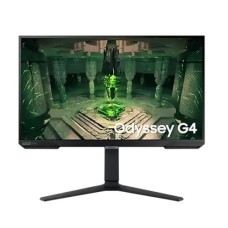
This is the most popular tier for gamers in Bangladesh. The Odyssey G4 offers a 27-inch IPS screen at 240Hz. Motion looks extremely smooth in fast games.
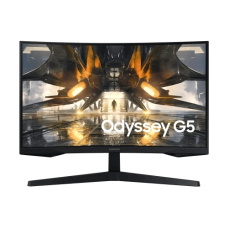
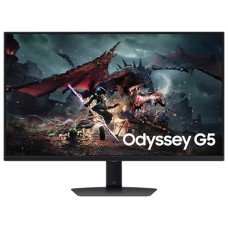
The Odyssey G5 brings QHD resolution and a curved screen. It comes in 27-inch and 32-inch sizes. A great balance of sharpness and speed.
Premium Samsung Monitors
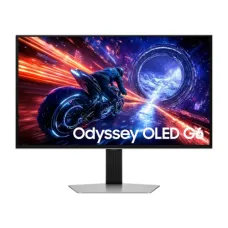
Want the very best? The Odyssey OLED G6 offers a 27-inch QHD OLED panel at up to 500Hz. Blacks look truly black and response is nearly instant.
Samsung also offers Color E-Paper displays for shops and offices. They show digital posters while using very little power.
Samsung Monitor Series Explained
Samsung uses clear series names for different users. Here is a simple breakdown.
Essential Monitors (S3 and D300 Series)
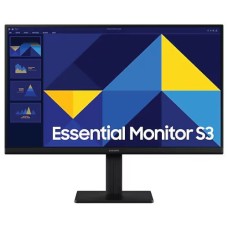
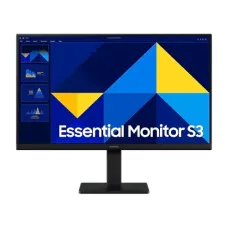
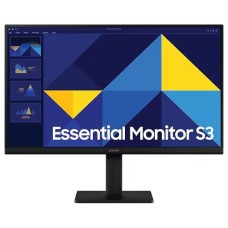
Essential monitors focus on everyday tasks at fair prices. They offer Full HD screens, slim bezels and eye care. Sizes range from 19 to 24 inches.
Office buyers can also compare Dell office monitors and Samsung Essential models side by side.
Odyssey G4 and G5: Gaming Value
Odyssey G4 is built for fast esports games with 240Hz speed. Odyssey G5 adds QHD resolution and curved designs. Both include AMD FreeSync support.
These monitors pair well with a capable gaming PC build for smooth high frame rates.
Odyssey OLED: Flagship Gaming
Odyssey OLED monitors use self-lit pixels for perfect contrast. Response times are close to zero. Colors look rich and vivid.
They suit competitive gamers and creators who want top picture quality.
Smart Monitors and Color E-Paper
Samsung Smart Monitors include built-in apps and streaming. Color E-Paper displays serve as low-power digital signs for businesses.
Samsung monitors also include handy picture modes. Game, Movie and Eco modes adjust color and brightness with one click. You can switch modes from the monitor menu anytime.
Most models also offer Eye Saver Mode and Flicker Free technology. These features keep viewing comfortable during long sessions.
Curved vs. Flat Monitors: Which One to Choose?
Samsung is famous for curved monitors. But flat screens still have their place. Here is how to choose.
Curved screens wrap slightly around your view. They feel more natural on large 27 and 32-inch sizes. Games and movies feel more engaging.
Flat screens are better for design, spreadsheets and dual monitor setups. Straight lines stay straight. They also fit more easily on small desks.
- Choose curved for gaming and movies on large screens
- Choose flat for office, design and dual setups
- Choose 1000R or 1500R curves for a comfortable view
Best Samsung Monitor for Every User
Every user needs something different. This table helps you match your needs to the right Samsung model.
| User Type | Recommended Model | Why It Fits |
|---|
| Students | LS22D300GAW | Affordable 100Hz IPS for study |
| Office Workers | LS24D300GAW | Clear Full HD and eye comfort |
| Esports Gamers | Odyssey G4 240Hz | Very fast, smooth motion |
| All-Round Gamers | Odyssey G5 QHD | Sharp curved view and 165Hz |
| Pro Gamers and Creators | Odyssey OLED G6 | OLED contrast and 500Hz speed |
PS5 and Xbox owners can enjoy smooth play on a Samsung screen. Explore our gaming consoles to complete your setup.
Samsung vs. Other Monitor Brands
Many buyers compare Samsung with other brands before ordering. Samsung stands out for curved and OLED gaming screens.
If eye comfort for long office hours matters most, compare BenQ eye-care monitors. For classic office designs, HP Series 5 monitors are another strong option.
Key Features to Check Before You Buy
Two Samsung monitors may look similar in photos. But panel and refresh rate can differ a lot.
Panel Type: IPS, VA or OLED
IPS panels give accurate colors and wide angles. VA panels offer deeper contrast, common in curved Odyssey models. OLED panels deliver perfect blacks and the fastest response.
Refresh Rate and Graphics Power
100Hz suits office and casual use. 165Hz to 240Hz suits fast games. 500Hz OLED targets pro esports players.
High refresh rates need a strong graphics card to reach those frame rates.
Ports and Connectivity
Most Samsung monitors include HDMI. Gaming models add DisplayPort for full refresh rates. Check your PC ports before ordering.
How to Set Up Your Samsung Monitor for Best Results
A good setup brings out the best in any Samsung screen. A few simple steps make a big difference.
First, use the right cable. DisplayPort unlocks the full refresh rate on most Odyssey models. Then open Windows display settings and choose the highest refresh rate.
- Set resolution to the native panel resolution
- Turn on AMD FreeSync or G-Sync Compatible in your GPU software
- Use Game Mode for lower input lag
- Turn on Eye Saver Mode for night work
Curved monitors need a little more desk depth. Place the screen about an arm's length away. The curve then fills your view naturally.
Large 32-inch Odyssey screens need a wide, stable surface. A strong gaming desk keeps the monitor steady during intense games.
Keep the top edge of the screen at eye level. This protects your neck during long gaming or work sessions.
Warranty and Care Tips
Many Samsung monitors in Bangladesh come with a 3-year warranty. Always check the warranty details on each product page. Keep the box and invoice for claims.
Clean the screen with a dry microfiber cloth. Protect your setup from load-shedding with a reliable UPS for monitors and PCs.
Why Buy Samsung Monitors from Tech Valley?
We help you choose the right Samsung series, size and refresh rate. Our team tests and compares monitors before recommending them.
- Genuine and authentic Samsung monitors
- Updated prices and live stock status
- Clear warranty information on every model
- Honest advice on panels, curves and setup
Building a full gaming setup? Add a responsive mechanical gaming keyboard to match your new screen.
For precise aim, pair it with a fast lightweight gaming mouse.
Where Can I Find Samsung Monitors at the Best Price in BD?
You can find Samsung monitors at the best price at Tech Valley. Browse Essential, Odyssey G4, G5 and OLED models in one place. Compare features and choose your perfect screen.
Order online today and enjoy safe delivery across Bangladesh. Your new monitor arrives securely packed and ready to set up.
Frequently Asked Questions
What is the price of Samsung Monitor in Bangladesh?
Samsung monitor prices in Bangladesh start under 18,000 BDT for Essential models. Odyssey G4 and G5 cost 18,000 to 50,000 BDT. OLED models go above 50,000 BDT.
What makes a Samsung Monitor ideal for gamers?
High refresh rates, curved Odyssey screens and OLED options make it ideal. Gamers get smooth motion, quick response and rich colors.
Where can I buy a genuine Odyssey monitor in Bangladesh?
You can buy genuine Samsung Odyssey monitors from Tech Valley. We offer authentic products, clear warranty details and safe delivery across Bangladesh.
Odyssey G4 vs G5: which is better?
Odyssey G4 is better for fast esports at 240Hz. Odyssey G5 is better for sharper QHD curved gaming.
Is a curved monitor good for office work?
Curved screens are comfortable on large sizes. For spreadsheets and design, a flat screen is usually better.
Does OLED burn in?
OLED can burn in with static images over long periods. Samsung includes care features to reduce this risk.
Does Odyssey work with PS5?
Yes, Odyssey monitors work with PS5 through HDMI. Check the model for 120Hz console support.
How much power does a 24-inch model use?
A typical 24-inch Samsung Essential monitor uses around 15 to 22 watts. Gaming models use more.
Do gaming monitors get hot?
Gaming monitors run warm but stay safe in normal use. Keep the vents clear and avoid direct sunlight.
Do I need DisplayPort for 240Hz?
DisplayPort is best for full 240Hz on PC. Some models also support high refresh over HDMI.
What warranty do Samsung monitors have in BD?
Many Samsung monitors come with a 3-year warranty in Bangladesh. We show warranty details clearly on every product page.