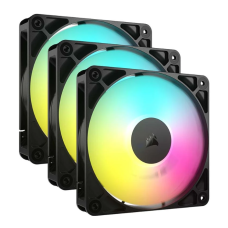
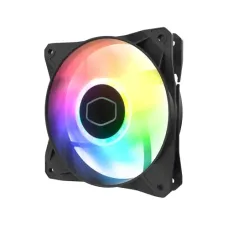
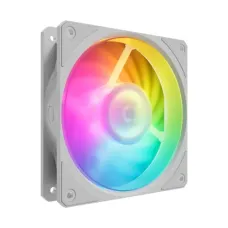
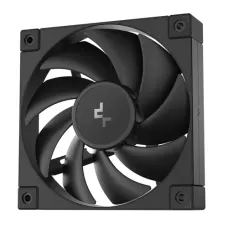
Quiet Casing Fan Price in Bangladesh for Cooler, Cleaner and Brighter PC Builds
Is your PC loud, hot or slowing down during games? Your case fans may be the problem. The right fans move heat out fast, keep noise low and can add a clean glow to your build.
At Tech Valley, we sell genuine casing fans from Arctic, Lian Li, Corsair, Cooler Master, DeepCool, Montech, Thermaltake and more, all with official warranty. On this page, we help you choose the right fan for the right spot.
Why Case Fans Matter in Bangladesh
Your processor and graphics card make a lot of heat. Case fans pull cool air in and push hot air out. Without enough airflow, heat builds up inside the case.
Bangladesh makes this harder:
- Hot rooms: summer room temperatures often pass 32°C.
- Humidity: damp air makes cooling less efficient.
- Dust: city dust clogs heatsinks and blocks airflow.
- Load-shedding: sudden restarts are worse when parts already run hot.
Good case fans help in many ways:
- Lower temperatures for the CPU, GPU, SSD and motherboard.
- Steadier performance, because hot parts slow themselves down.
- Quieter PCs, since cooler parts let other fans spin slower.
- Longer life for every component.
Even a budget PC benefits from one extra intake fan. For gaming PCs, a good fan setup is one of the cheapest upgrades you can make.
Hot chips need the most airflow. Check the latest Intel and AMD processor price in Bangladesh to plan your cooling.
Your GPU is often the hottest part. Compare the latest graphics card price in Bangladesh and match your fans to its heat.
Casing Fan Price in Bangladesh by Type
Fan prices depend on size, lighting, bearing type, noise level and brand. Multi-packs often save money. These ranges are approximate and change with dollar rates and stock.
| Fan Type | Price (BDT, approx.) | What You Get | Best For |
|---|
| Basic 120mm (no RGB) | 300 – 800 | Simple 3-pin fan | Office PCs, extra exhaust |
| Performance 120mm PWM | 800 – 1,800 | Quiet, speed-controlled | Silent and airflow builds |
| ARGB 120mm single | 700 – 1,800 | Addressable lighting | Matching an existing RGB build |
| ARGB 3-pack with hub | 2,500 – 6,000 | Three fans plus controller | Budget gaming builds |
| Premium / daisy-chain 3-pack | 6,000 – 14,000 | Clean wiring, software control | Showcase and high-end builds |
| 140mm fans | 900 – 3,000 | More airflow at lower noise | Large cases, quiet builds |
ARGB 3-packs are the most popular choice. They give you three matching fans and a hub, often for the price of two single fans.
If you don't care about lighting, a pack of plain PWM fans like Arctic P12 gives some of the best cooling for the money.
Premium daisy-chain fans cost more, but they cut down cable mess a lot. They're great for glass cases.
Want lighting across your whole desk? Explore our gaming accessories in Bangladesh.
Fan Sizes Explained
The fan size must match the mounting holes in your case or radiator.
| Size | Common Use | Notes |
|---|
| 80mm / 92mm | Small cases, older PCs, rear exhaust | Spin faster, can be louder |
| 120mm | Most cases, radiators, coolers | Most popular, widest choice |
| 140mm | Larger cases, front intake | More air at lower RPM, quieter |
| 200mm | Some big cases | Very quiet, limited support |
Most modern cases support 120mm fans in every position. Many also support 140mm in the front and top.
When both fit, 140mm fans usually move more air at lower speed. That means a quieter PC.
Check your case manual for fan sizes and how many fans each spot holds. For example, a front panel may fit three 120mm or two 140mm fans.
Prefer a ready system with fans already set up? See our gaming PC price in Bangladesh.
Airflow vs Static Pressure
Not all fans are built for the same job. Some move lots of air through open space. Others push air through tight spots like radiators and dust filters.
| Fan Type | Best At | Best Positions |
|---|
| Airflow fans | Moving lots of air in open space | Rear exhaust, top exhaust, open front panels |
| Static pressure fans | Pushing air through obstacles | Radiators, heatsinks, mesh or filtered fronts |
| Balanced / hybrid fans | Good at both | Most general case positions |
Fan specs show this with two numbers:
- CFM (airflow): how much air the fan moves. Higher is better for open spaces.
- mm-H2O (static pressure): how hard the fan pushes. Higher is better for radiators and filters.
For a liquid cooler radiator, choose fans with good static pressure. For the rear exhaust, a high-airflow fan works best.
Choosing a radiator or tower cooler too? See our air and liquid CPU cooler price in Bangladesh.
Many modern fans, like Arctic P12 and Lian Li UNI FAN, are balanced. They work well in almost any position, which makes life easy.
Connectors Made Simple
Fan connectors confuse many buyers. Picking the wrong one can mean fans that won't slow down, lights that won't work, or even damaged LEDs.
3-Pin vs 4-Pin PWM
These connectors power the fan motor and control its speed.
| Connector | Speed Control | Best For |
|---|
| 3-pin (DC) | Voltage control, less precise | Budget fans, simple setups |
| 4-pin (PWM) | Precise control, quieter at low speed | Most modern builds |
A 4-pin PWM fan lets your motherboard set the exact speed. The fan stays quiet when the PC is idle and speeds up only when needed.
You can plug a 3-pin fan into a 4-pin header. It works, but speed control may be limited.
RGB (12V) vs ARGB (5V)
Lighting connectors are where most mistakes happen.
| Lighting Type | Connector | Voltage | Effect |
|---|
| RGB | 4-pin | 12V | One color at a time across the fan |
| ARGB (addressable) | 3-pin | 5V | Rainbow and moving effects, each LED controlled |
Never plug a 5V ARGB fan into a 12V RGB header. It can burn out the LEDs in seconds.
Before buying, check your motherboard:
- "5V ARGB" or "ADD_HEADER" supports ARGB fans.
- "12V RGB" supports only standard RGB fans.
- No headers? Choose a fan kit with its own controller or remote.
Most new fans and motherboards use 5V ARGB, which gives the best effects.
Fan Hubs and Daisy-Chain Fans
Most motherboards have only a few fan headers. A fan hub lets you connect many fans to one header.
Many ARGB 3-packs include a hub. It controls both speed and lighting from one place.
Daisy-chain fans are even simpler. They clip together side by side, so three fans need just one cable. Lian Li UNI FAN, Corsair iCUE LINK and similar designs make wiring much cleaner in glass cases.
Want parts that match out of the box? Our Gigabyte PC bundle with RGB-ready motherboard makes lighting setup easier.
Which Way Should Fans Face?
Fan direction is easy to get wrong. Look at the side of the fan. Most have two small arrows:
- One arrow shows blade spin direction.
- One arrow shows airflow direction.
No arrows? Air usually blows out from the side with the frame struts or the label.
A simple, proven layout for most cases:
- Front: intake fans pull cool air in.
- Rear: exhaust fan pushes hot air out.
- Top: exhaust fans let rising heat escape.
- Bottom: intake, if your case supports it.
Use slightly more intake than exhaust. This is called positive pressure. It pushes air out through small gaps, so dust can only come in through the filtered intakes.
In dusty Bangladesh cities, positive pressure keeps the inside of your PC much cleaner.
Fast NVMe drives also run hot, and good airflow helps them hold top speed. Check the NVMe SSD price in Bangladesh for your next upgrade.
Reverse-blade fans are a newer option. They blow air from the "front" of the fan, so the clean, lit side faces outward when used as intake. They're popular in glass showcase cases.
Keep It Quiet: RPM, Noise and Fan Curves
More fans don't have to mean more noise. Good setup matters more than fan count.
| Spec | What It Means | Quiet Target |
|---|
| RPM | How fast the fan spins | 600 – 1,200 RPM for daily use |
| dBA | How loud the fan is | Under 25 dBA is very quiet |
| PWM range | How low the fan can spin | Fans that go down to 200–400 RPM are quieter |
Tips for a quiet PC:
- Use PWM fans and let the motherboard control speed.
- Set a fan curve in BIOS or software. Low speed when idle, faster only when hot.
- Choose 140mm fans where they fit. They move the same air at lower RPM.
- Avoid running all fans at 100%. It adds noise with little extra cooling.
- Use rubber pads to reduce vibration noise.
A well-tuned PC with four or five fans can be quieter than a badly tuned PC with two.
Want a quiet machine without building it? Browse our desktop PC price in Bangladesh.
Bearings and Lifespan in Hot Rooms
The bearing is the part inside the fan that lets it spin. It decides how long the fan lasts and how quiet it stays.
| Bearing Type | Lifespan | Noise Over Time | Best For |
|---|
| Sleeve bearing | Shortest | Can get noisy as it ages | Cheap, light-use fans |
| Hydraulic / rifle bearing | Medium to long | Stays fairly quiet | Most budget-to-mid fans |
| Fluid dynamic bearing (FDB) | Long | Stays quiet | Performance and premium fans |
| Ball bearing | Long | Can be slightly louder | Heat-tolerant, any position |
Heat shortens bearing life. In hot Bangladesh rooms, cheap sleeve-bearing fans often start rattling within a year.
For a PC that runs many hours a day, choose fluid dynamic or hydraulic bearings. They cost a little more but last much longer.
RGB memory adds glow and speed. See our desktop RAM price in Bangladesh for matching modules.
Clean Fans, Cool PC: A Simple Routine
Dust is the biggest enemy of case fans in Bangladesh. A thin layer on the blades lowers airflow. A thick layer makes fans louder and parts hotter.
Follow this easy routine:
- Every month: wipe or rinse the front and top dust filters.
- Every 3 months: shut down, unplug the PC and blow dust off the fan blades with compressed air.
- Hold the blades still while blowing air, so they don't overspin.
- Every 6 months: check that all fans spin freely and quietly.
- Replace any fan that rattles, wobbles or stops spinning.
Never use a vacuum cleaner directly inside the PC. It can build static electricity and damage parts.
Clean fans and filters can lower temperatures by several degrees, especially in summer.
Laptops need cleaning too. If yours runs hot, compare the all laptop price in Bangladesh for better-cooled models.
Popular Casing Fan Brands
Many brands make casing fans. These are trusted for good cooling, low noise and reliable warranty.
| Brand | Popular Lines | Known For |
|---|
| Arctic | P12, P14, P12 PWM PST ARGB | Top value, quiet, strong cooling |
| Lian Li | UNI FAN SL, TL, AL | Daisy-chain design, premium RGB |
| Corsair | iCUE LINK, AF, LL, QL | Software control, RGB ecosystem |
| Cooler Master | SickleFlow, MasterFan | Reliable budget ARGB fans |
| DeepCool | FC120, FK120, FD12 | Good airflow at fair prices |
| Montech | AX120, RX120, Metal DT24 | Great value ARGB packs |
| Thermaltake | Riing, ToughFan, SWAFAN | Bright RGB and high performance |
| Noctua | NF-A12x25, NF-P12 | Premium quiet performance |
| Gamdias | Aeolus series | Affordable RGB kits |
For the best cooling per taka, Arctic P12 and P14 fans are hard to beat.
For clean RGB builds, Lian Li UNI FAN and Corsair iCUE LINK offer neat daisy-chain wiring.
For budget ARGB looks, Montech, DeepCool and Cooler Master 3-packs offer great value.
For the quietest possible PC, Noctua fans remain a premium favourite.
Gaming on the move instead? A gaming laptop with strong built-in cooling handles heat without extra fans.
How to Get Casing Fan at the Best Price in BD?
At Tech Valley, we offer genuine casing fans at competitive prices, with official warranty. We stock single fans, ARGB 3-packs and premium daisy-chain kits from trusted brands.
Here's how to get the best value:
- Buy a 3-pack if you need three or more fans. It usually costs less than buying them one by one.
- Pick PWM fans for quiet, controlled speeds.
- Check your RGB headers before choosing RGB or ARGB.
- Ask about combo deals when buying fans with a case, cooler or other PC parts.
Not sure which fans fit your case or radiator? Send us your case model. Our team will suggest the right size, type and layout. We deliver across Bangladesh and offer EMI on major bank cards.
Need a simple, low-maintenance option? Check the original laptop price in Bangladesh with official warranty.
Frequently Asked Questions
What is the casing fan price in Bangladesh?
Basic casing fans start at about 300 taka. ARGB 3-packs cost 2,500 to 6,000 taka, and premium kits go up to 14,000 taka.
Which casing fan is best for airflow?
Arctic P12 and P14, Lian Li UNI FAN and DeepCool FC120 offer strong airflow. Choose 140mm fans for more air at lower noise.
What is the difference between 3-pin and 4-pin fans?
A 3-pin fan uses voltage speed control. A 4-pin PWM fan allows precise speed control and runs quieter at low speeds.
What is the difference between RGB and ARGB fans?
RGB uses a 12V 4-pin plug and shows one color at a time. ARGB uses a 5V 3-pin plug and shows moving effects.
How many case fans do I need?
Most builds need three: two front intake and one rear exhaust. Gaming PCs often use four to six fans.
Should case fans be intake or exhaust?
Front and bottom fans should be intake. Rear and top fans should be exhaust. Use slightly more intake to reduce dust.
Is 140mm better than 120mm?
Often, yes. A 140mm fan moves more air at lower speed, so it's quieter. Check that your case supports 140mm fans.
How do I make case fans quieter?
Use PWM fans, set a fan curve, and avoid running fans at full speed. Larger fans and rubber pads also help.
How often should I clean case fans?
Clean dust filters every month and fan blades every three months. Dusty rooms in Bangladesh may need more frequent cleaning.
Where can I buy casing fans in BD?
You can buy genuine casing fans from Tech Valley. We offer official warranty, fit advice and delivery across Bangladesh.