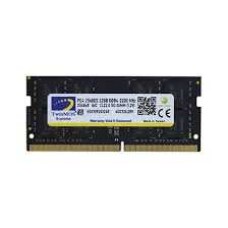
Easy Laptop RAM Price in Bangladesh for a Faster, Smoother Notebook Upgrade
A slow laptop doesn't always need replacing. Often, it just needs more RAM. A simple upgrade can make browsing, Office work, online classes and even gaming feel noticeably smoother, and it costs far less than a new laptop.
At Tech Valley, we sell genuine DDR4 and DDR5 laptop RAM from trusted brands. On this page, we help you check whether your laptop can be upgraded, pick the right type and size, and avoid the most common upgrade mistakes.
Why Upgrade Your Laptop RAM?
Many budget and mid-range laptops ship with only 8GB of RAM. That was fine a few years ago, but modern Windows, browsers and apps use much more memory today.
When RAM fills up, the laptop moves data to the storage drive. That's much slower, so you see lag, frozen tabs and long loading times.
A RAM upgrade helps in several ways:
- Smoother multitasking: keep more browser tabs, Office files and apps open.
- Faster video calls: Zoom, Teams and Google Meet run without stutter.
- Better gaming: fewer frame drops in modern games.
- Longer laptop life: add a few more useful years for a small cost.
Adding RAM is often the best-value upgrade you can make, especially if your laptop already has an SSD.
Still using an old hard disk? Pair your RAM upgrade with a drive from our NVMe and SATA SSD price in Bangladesh list for the biggest speed jump.
If your laptop is very old or can't be upgraded, a new model may be better value. Browse our original laptop price in Bangladesh range.
Laptop RAM Price in Bangladesh by Capacity
Laptop RAM prices depend on type, capacity, speed and brand. These ranges are approximate per stick and change with dollar rates and global memory prices.
| Capacity | DDR4 SO-DIMM (BDT, approx.) | DDR5 SO-DIMM (BDT, approx.) | Best For |
|---|
| 8GB | 2,000 – 3,200 | 2,800 – 4,200 | Adding to an existing 8GB stick |
| 16GB | 3,800 – 6,000 | 5,000 – 8,000 | Upgrading to 16GB or 32GB total |
| 32GB | 7,500 – 11,500 | 10,000 – 16,000 | Creators, heavy multitaskers |
| 2 × 16GB kit | 7,500 – 12,000 | 10,000 – 16,000 | Full 32GB dual-channel upgrade |
Most buyers add one 8GB or 16GB stick to their existing RAM. This gives a total of 16GB or 24GB, and often turns on dual-channel mode too.
For a cleaner upgrade, replace both sticks with a matched 2 × 16GB kit. You get 32GB, full dual-channel speed and no mixing worries.
Brand-name sticks cost a little more than generic ones, but they offer better stability and warranty support.
Can Your Laptop Be Upgraded?
This is the most important question. Not every laptop can take more RAM. Check this first to avoid wasting money.
| RAM Design | Upgradeable? | Common In |
|---|
| Two SO-DIMM slots | Yes, easily | Many gaming, business and budget laptops |
| One SO-DIMM slot + soldered RAM | Partly, add one stick | Many mid-range thin laptops |
| Fully soldered (LPDDR4X / LPDDR5) | No | Most ultrabooks, MacBooks, slim premium laptops |
| CAMM2 / LPCAMM2 module | Yes, with matching module | A few newer business and workstation laptops |
SO-DIMM Slots
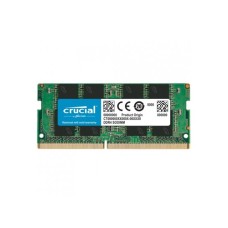
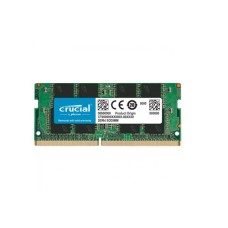
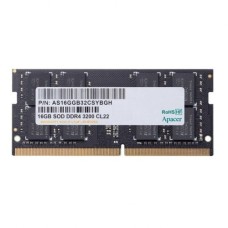
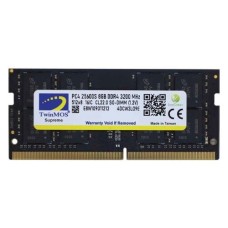
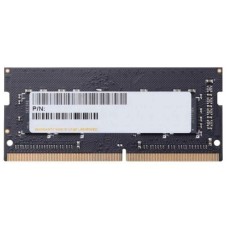
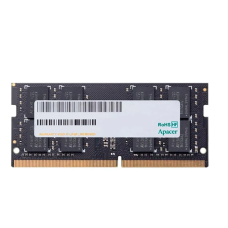
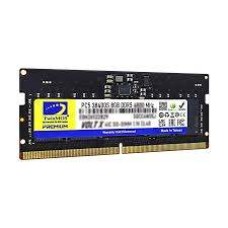
SO-DIMM is the small RAM stick used in laptops. It's about half the length of desktop RAM.
Laptops with two SO-DIMM slots are the easiest to upgrade. You can add a stick, replace both, or move to a matched kit.
Gaming laptops and many business laptops from Lenovo, HP, Dell, ASUS, Acer and MSI often have two slots.
Soldered RAM
Soldered RAM is built directly onto the motherboard. It can't be removed or upgraded.
Many thin laptops use soldered LPDDR memory to save space and battery. Some have soldered RAM plus one free slot, so you can still add one stick.
If your laptop is fully soldered, choose your RAM size carefully when buying. Upgrading later isn't possible.
Shopping for a new one? Compare RAM sizes and models in our all laptop price in Bangladesh list before you buy.
CAMM2 and LPCAMM2
CAMM2 and LPCAMM2 are newer, flatter memory modules found in a few recent business and workstation laptops.
They can be replaced, but they need a matching module from the right standard. They don't use normal SO-DIMM sticks.
If your laptop uses one of these, ask our team before ordering. We'll help you find the right module.
How to Check Your Laptop's RAM
Before you buy, find out exactly what your laptop has. It takes only a few minutes.
1. Use Task Manager. Press Ctrl + Shift + Esc, open the Performance tab, and click Memory. You'll see:
- Total RAM installed
- Speed, such as 3200 MT/s or 5600 MT/s
- "Slots used", such as 1 of 2
If it shows 1 of 2, you have a free slot. If it shows 2 of 2, both slots are full.
2. Use CPU-Z. This free tool's Memory and SPD tabs show the RAM type (DDR4 or DDR5), each stick's size and brand, and your current speed.
3. Check the model spec sheet. Search your exact laptop model on the maker's website. Look for "memory slots", "maximum memory" and "soldered" in the specs.
4. Ask us. Send your laptop's full model name, usually printed on a sticker under the laptop. Our team will confirm what you can add.
A quick warning: Task Manager may show "2 of 2 slots" even when one "slot" is soldered memory. That's why checking the spec sheet or asking us is the safest step.
DDR4 vs DDR5 SO-DIMM
Laptops use either DDR4 or DDR5 SO-DIMM sticks. They have different notches and won't fit each other's slots. Your laptop supports only one type.
| Point | DDR4 SO-DIMM | DDR5 SO-DIMM |
|---|
| Common speeds | 2666 – 3200 MT/s | 4800 – 6400 MT/s |
| Found in | Most laptops from about 2017 to 2022 | Most laptops from about 2022 onward |
| Typical processors | Intel 8th–11th Gen, Ryzen 3000–5000 | Intel 12th Gen onward, Ryzen 6000 onward |
| Price | Lower | Higher |
| Max per stick | Usually 32GB | Up to 48GB or more |
Many 12th and 13th Gen Intel laptops still use DDR4. Don't guess from the processor alone. Check with Task Manager, CPU-Z or the spec sheet.
Desktop RAM won't fit a laptop. Desktop DIMMs are much longer than laptop SO-DIMMs. Always buy SO-DIMM for a laptop.
Upgrading a desktop PC instead? Choose full-size sticks from our DDR4 and DDR5 desktop RAM price in Bangladesh list.
How Much RAM Does Your Laptop Need?
The right amount depends on how you use your laptop.
| Use | Minimum | Recommended | Notes |
|---|
| Students, browsing, online classes | 8GB | 16GB | 16GB keeps Zoom and many tabs smooth |
| Office and business work | 8GB | 16GB | Excel, Teams and browsers together |
| Programming and development | 16GB | 32GB | IDEs, Docker and browsers use lots of memory |
| Gaming laptops | 16GB | 32GB | Modern games plus background apps |
| Photo and video editing | 16GB | 32GB | Large files and timelines need space |
| 3D, AI and heavy workloads | 32GB | 64GB | Check your laptop's maximum first |
For most laptop users today, 16GB is the sweet spot. It handles Windows 11, browsers, Office and video calls without slowdowns.
Gamers, programmers and creators should aim for 32GB. It keeps heavy apps responsive and makes the laptop useful for longer.
Buying a new gaming machine? Look for 16GB to 32GB in our gaming laptop price in Bangladesh list.
Check your laptop's maximum supported RAM before buying a large kit. Some older or budget laptops support only 16GB or 32GB in total.
Need 64GB or more for heavy 3D and AI work? A desktop is easier to expand. Explore our desktop PC price in Bangladesh range.
For the heaviest workloads, a strong chip matters as much as RAM. Compare the Intel and AMD processor price in Bangladesh for a desktop build.
Dual Channel: The Hidden Speed Boost
Many budget and mid-range laptops ship with just one RAM stick. This means they run in single-channel mode, using only half the possible memory bandwidth.
Adding a second matching stick turns on dual-channel mode. This nearly doubles memory bandwidth.
The difference is biggest on laptops with integrated graphics, such as Intel Iris Xe, Intel Arc or AMD Radeon graphics. These chips use system RAM as video memory, so dual channel can raise gaming FPS noticeably.
Integrated graphics still have limits. For serious desktop gaming, a dedicated card from our latest graphics card price in Bangladesh list gives a much bigger jump.
Here's a common upgrade example:
- Before: one 8GB stick, single channel.
- After: two 8GB sticks, 16GB total, dual channel.
- Result: more capacity and much higher memory speed.
Gaming laptops with a dedicated graphics card also benefit. Smoother frame times and faster loading make games feel better.
Want the highest FPS at home? Our custom gaming PC price in Bangladesh builds outperform most gaming laptops for the money.
For the best dual-channel results, use two sticks with the same capacity, type and speed.
Speed Matching and Mixing Sticks
Laptop RAM works a little differently from desktop RAM. Knowing a few rules helps you avoid crashes and wasted money.
A faster stick works, but runs at the slower speed. If your laptop supports DDR4-3200 and you add a DDR4-3200 stick, both run at 3200. If you add a faster stick to an older laptop, it simply runs at the speed the laptop supports.
Mixed sticks run at the slowest speed. If one stick is 2666 and the other is 3200, both usually run at 2666.
Most laptops don't support XMP. Unlike gaming desktops, most laptops run RAM at standard JEDEC speeds. Buying a very fast, expensive kit rarely helps. Match your laptop's supported speed instead.
Want to use fast XMP or EXPO memory? A desktop built on a Gigabyte PC bundle with XMP-ready motherboard lets you run RAM at full rated speed.
Matching gives the best stability. For the smoothest upgrade:
- Match the type: DDR4 with DDR4, DDR5 with DDR5.
- Match the capacity for full dual-channel speed, such as 8GB + 8GB.
- Match the speed and timings if possible.
- Matching the brand helps, but isn't required.
Uneven pairs still work. A setup like 8GB + 16GB gives 24GB total. Most modern laptops run part of it in dual channel. It works well, but two equal sticks are better.
If your laptop crashes or won't start after an upgrade, try the new stick alone first. If the problem continues, replace both sticks with a matched kit.
Popular Laptop RAM Brands
Most laptop RAM uses memory chips from a few large makers. Trusted brands test their sticks for laptop compatibility and offer good warranty.
| Brand | Popular Lines | Known For |
|---|
| Kingston | Fury Impact, ValueRAM | Wide laptop compatibility, reliable |
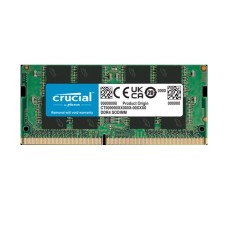
| Crucial | Crucial SO-DIMM, Pro | Simple, stable, easy compatibility tools |
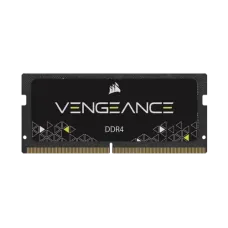
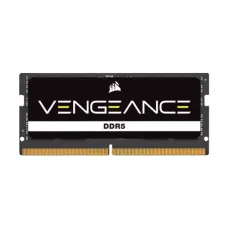
| Corsair | Vengeance SO-DIMM | Gaming laptop upgrades |
| Adata | Premier, XPG SO-DIMM | Good value |
| Lexar | Lexar SO-DIMM | Competitive DDR5 prices |
| TeamGroup | Elite, T-Force SO-DIMM | Budget-friendly options |
| Samsung / SK Hynix | OEM laptop modules | Same chips many laptops ship with |
Kingston and Crucial are the safest picks for most laptops. They have strong compatibility records across HP, Dell, Lenovo, ASUS, Acer and MSI models.
Gaming laptop owners often choose Kingston Fury Impact or Corsair Vengeance SO-DIMM for their tested performance.
Complete your setup with a mouse, headset or cooling pad from our gaming accessories for laptop gamers collection.
Avoid unbranded or very cheap sticks. They may cause crashes, fail early or lack warranty support.
Installation and Warranty Tips
Installing laptop RAM is usually simple, but be careful with the steps.
- Shut down fully and unplug the charger. Don't just use sleep mode.
- Disconnect the battery if your laptop's manual recommends it.
- Remove the bottom panel. Some screws may be hidden under rubber feet.
- Touch metal first to release static before handling RAM.
- Insert the stick at an angle, then press down until the side clips lock.
- Check in Windows that the new total RAM shows correctly.
The first start after an upgrade may take a little longer. Some laptops re-check memory on the first boot. This is normal.
Laptops have built-in cooling, but desktops let you choose your own. If you're building one, pick from our air and liquid CPU cooler price in Bangladesh range.
What about warranty? In many cases, adding RAM to an open SO-DIMM slot doesn't void the laptop's warranty. But some brands and sellers have stricter rules, and physical damage during installation is never covered.
Check your laptop's warranty terms first. If you're unsure, let our team install it for you. That way, the work is done safely and correctly.
Where Can I Find Laptop RAM at the Best Price in BD?
You can find laptop RAM at the best price at Tech Valley. We sell genuine DDR4 and DDR5 SO-DIMM sticks from Kingston, Crucial, Corsair, Adata, Lexar and other trusted brands, with official warranty.
Send us your full laptop model name. Our team will check your slots, RAM type, speed and maximum capacity before you order.
We deliver across Bangladesh and offer EMI on major bank cards. Visit our store for professional installation and testing.
Frequently Asked Questions
What is the laptop RAM price in Bangladesh?
Laptop RAM costs about 2,000 taka for 8GB DDR4 to around 16,000 taka for 32GB DDR5. A 16GB DDR5 stick costs about 5,000 to 8,000 taka.
Can I upgrade my laptop RAM?
Yes, if your laptop has a free or replaceable SO-DIMM slot. Many thin laptops have soldered RAM that can't be upgraded. Check your model first.
How do I know if my laptop RAM is soldered?
Check your laptop's spec sheet or service manual. You can also send us your model name, and we'll confirm whether it has upgradeable slots.
Can I use desktop RAM in a laptop?
No. Desktop RAM is a longer DIMM stick that won't fit a laptop. Laptops need the shorter SO-DIMM type.
DDR4 or DDR5: which does my laptop need?
Your laptop supports only one type. Check with Task Manager, CPU-Z or the spec sheet. DDR4 and DDR5 sticks aren't interchangeable.
Is 16GB RAM enough for a laptop?
Yes, for most users. 16GB handles office work, study, browsing and most games. Choose 32GB for heavy gaming, programming or video editing.
Can I mix old and new laptop RAM?
Usually yes, if they're the same type. Both run at the slower speed. Matching capacity and speed gives the best dual-channel performance.
Does a faster RAM stick work in my laptop?
Yes, but it runs at the speed your laptop supports. Most laptops don't use XMP, so very fast kits rarely add extra performance.
Will upgrading RAM void my warranty?
Often not, but it depends on the brand and seller. Physical damage isn't covered. Check your warranty terms or let our team install it.
Where can I buy laptop RAM in BD?
You can buy laptop RAM from Tech Valley. We offer genuine SO-DIMM sticks, official warranty, compatibility checks and delivery across Bangladesh.