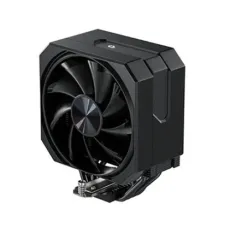
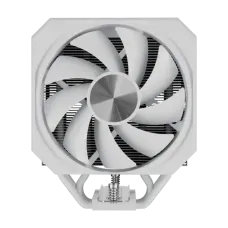
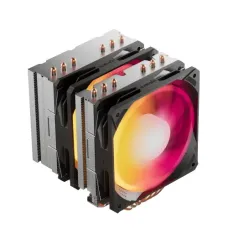
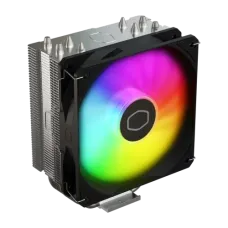
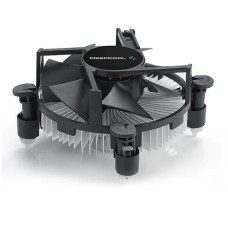
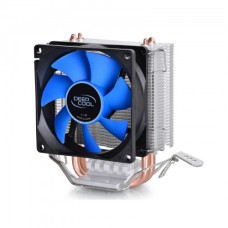
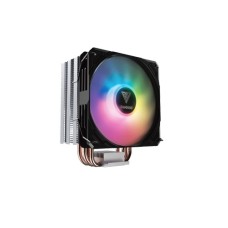
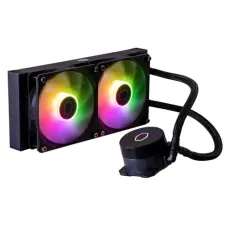
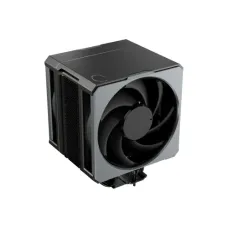
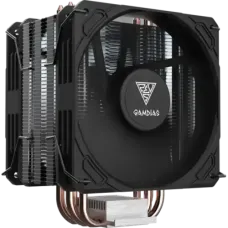
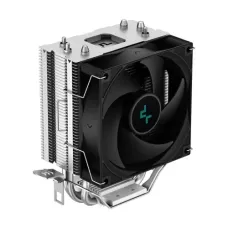
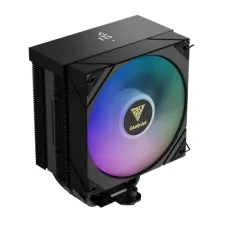
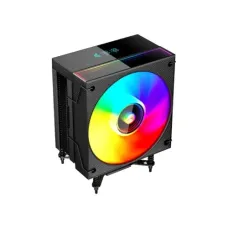
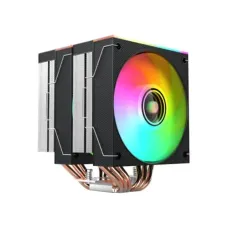
Efficient CPU Cooler Price in Bangladesh for Cool, Quiet and Stable PCs
A hot processor is a slow processor. When temperatures climb, the CPU lowers its own speed to stay safe, and games stutter, exports slow down and fans get loud. A good CPU cooler stops this from happening.
At Tech Valley, we sell genuine air and liquid CPU coolers for every budget and build. On this page, we help you match a cooler to your processor and Bangladesh's climate, then check that it fits your case.
Why a Good CPU Cooler Matters in Bangladesh
Our summers are hot and humid. Room temperatures often reach 30 to 35°C, and many homes and offices run without air conditioning.
A cooler can only bring the CPU down toward room temperature, never below it. When the room is hot, every cooler has less headroom. That's why a cooler that works fine in a cool country can struggle here.
Our simple rule: pick one step above the minimum for your processor. If a chip needs a basic tower cooler, choose a stronger tower. If it needs a 240mm AIO, consider a 280mm or 360mm model.
A good cooler also cuts noise. Bigger heatsinks and fans move more air at lower speeds, so the PC stays quieter during long work sessions.
It also protects your investment. Lower temperatures reduce stress on the processor and motherboard over the years.
Building or upgrading a full system? Explore our desktop PC price in Bangladesh range for complete builds.
CPU Cooler Price in Bangladesh by Budget
Cooler prices depend on type, size, fan quality, brand and RGB features. These ranges are approximate and change with dollar rates and new models.
| Budget (BDT, approx.) | Cooler Type | Best For |
|---|
| 800 – 2,000 | Basic top-down or small air cooler | Office PCs, low-power CPUs |
| 2,000 – 4,500 | Single-tower air cooler, 4 heat pipes | Core i5, Ryzen 5 gaming builds |
| 4,500 – 9,000 | Large single or dual-tower air cooler | Ryzen 7, Core i7, quiet builds |
| 6,500 – 13,000 | 240mm liquid (AIO) cooler | Gaming PCs, clean-looking builds |
| 11,000 – 25,000+ | 280mm or 360mm AIO, LCD models | Ryzen 9, Core Ultra 9, heavy workloads |
Most gamers get the best value between 2,000 and 4,500 taka. A good single-tower cooler handles most Core i5, Ryzen 5 and many Ryzen 7 chips well.
Want it all set up for you? Our gaming PC price in Bangladesh builds come with the right cooler installed and tested.
Spend more on hot-running processors such as Core i7, Core i9, Core Ultra 9 and Ryzen 9. These chips need large air coolers or 280mm–360mm AIOs.
Running heavy renders all day? We build a special PC for workstation and rendering use with cooling sized for long loads.
Check the case first. A great cooler is useless if it doesn't fit.
Need more room for a big cooler? Choose a mid-tower casing with high cooler clearance from our range.
Match the Cooler to Your Processor
The processor's power use (TDP or PPT) tells you how much heat the cooler must remove. Use this table as a starting point, then add one step for Bangladesh's heat.
| Processor Examples | Typical Power | Minimum Cooler | Our Pick for BD Climate |
|---|
| Core i3, Ryzen 3, Ryzen 5 non-X | 45 – 65W | Stock or basic cooler | Single-tower air cooler |
| Core i5 14400F, Ryzen 5 7600/9600X | 65 – 105W | Single-tower air cooler | 4–6 heat-pipe tower |
| Core Ultra 5 245K, i5 K-series, Ryzen 7 | 105 – 150W | Strong single-tower | Dual-tower or 240mm AIO |
| Ryzen 7 X3D, Core Ultra 7, Core i7 | 120 – 200W | Dual-tower or 240mm AIO | 280mm or 360mm AIO |
| Ryzen 9, Core Ultra 9, Core i9 | 170 – 250W+ | 280mm AIO | 360mm AIO |
Still choosing your chip? Compare the Intel and AMD processor price in Bangladesh and note each model's power draw.
X3D processors run a little cooler than their power numbers suggest, but they're sensitive to heat. Good cooling keeps their boost clocks high.
Intel K-series chips can draw much more power than their base TDP during heavy loads. Plan for the higher figure.
If your processor came with a stock cooler, it works for office use. For gaming or summer heat, an aftermarket tower cooler is a cheap and worthwhile upgrade.
Office buyers who want zero setup can choose from our HP, Dell and Lenovo brand PC price in Bangladesh, with cooling already matched.
Air Cooler vs Liquid Cooler
Both cooler types work well. The best choice depends on your processor, case and budget, and on how much you care about looks and noise.
| Point | Air Cooler | Liquid (AIO) Cooler |
|---|
| Cooling power | Good to very strong | Strong to very strong |
| Price | Lower | Higher |
| Noise | Quiet with good fans | Quiet fans, but a small pump hum |
| Reliability | Very high, only fans can fail | Pump can fail after years |
| Lifespan | 8+ years | Typically 5–7 years |
| Installation | Simple | Needs radiator space |
| Looks | Bulky tower | Clean, open view of the motherboard |
| Maintenance | Dust cleaning | Dust cleaning, eventual replacement |
Air Coolers
An air cooler uses metal heat pipes and a finned heatsink with one or two fans. Heat moves from the CPU through the pipes into the fins, and the fan blows it away.
Air coolers are simple, reliable and affordable. There's no pump to fail and no liquid inside.
A good dual-tower air cooler can match a 240mm AIO on many processors. It's a smart choice for buyers who want long-term reliability with little maintenance.
The main drawback is size. Large towers can block RAM slots or fail to fit in slim cases.
Liquid (AIO) Coolers
An all-in-one (AIO) liquid cooler uses a pump on the CPU, tubes and a radiator with fans. Liquid carries heat away to the radiator, where the fans cool it.
AIOs handle hot processors very well. They also keep the area around the CPU clear, which looks clean and gives easy access to RAM.
Radiator size matters most. A 240mm AIO suits most gaming chips. Choose 280mm or 360mm for Ryzen 9, Core Ultra 9 and Core i9.
AIOs cost more and the pump has a limited lifespan. Still, most buyers enjoy many years of use before needing a replacement.
Avoid small 120mm AIOs for hot chips. A good tower air cooler often performs better for less money.
Check the Fit Before You Buy
Many cooler problems are fit problems. Check these four things before you order.
| Check | What to Look For | Common Limit |
|---|
| Cooler height | Case's maximum CPU cooler height | Most mid-towers fit 155–170mm |
| RAM clearance | Gap between heatsink and RAM slots | Tall RGB RAM may block dual-tower fans |
| Radiator size | Case support for 240, 280 or 360mm | Small cases may only take 240mm |
| Socket support | Mounting kit for your CPU socket | AM4/AM5 and LGA1700/LGA1851 brackets |
Cooler Height and Case Size
Every case lists a maximum CPU cooler height. Compare it with the cooler's height, including the fan.
Most standard mid-tower cases fit coolers up to 155–170mm. Compact Micro-ATX cases may only fit 150mm or less.
Small form factor cases often need low-profile coolers under 70mm. These suit only low-power processors.
Compact cases also cut drive bays. If you store lots of files, check space for a 3.5-inch hard disk drive for bulk storage before choosing a small case.
RAM Clearance
Large tower coolers can hang over the RAM slots. Tall RAM with RGB lighting may block the cooler's fan.
Check the cooler's RAM clearance spec. Many coolers let you raise the front fan a little to clear tall RAM.
If clearance is tight, choose a slim single-tower cooler, low-profile RAM, or an AIO.
Find slim sticks in our low-profile DDR4 and DDR5 desktop RAM range.
Radiator Size and Mounting
Check where your case supports radiators: front, top or side. It must support the full radiator length, plus fans.
Front mounting gives the CPU cooler air, but warms the rest of the case a little. Top mounting sends hot air straight out.
Front-mounted radiators also push warm air toward the GPU. Check card length and airflow for your gaming graphics card in a radiator-equipped case.
Mount the radiator so the pump isn't the highest point in the loop. This keeps air bubbles away from the pump and reduces noise.
Socket Brackets
Coolers need the right mounting brackets for your CPU socket.
AM4 and AM5 share the same cooler mounting holes, so most AM4 coolers fit AM5. LGA1700 and LGA1851 also share mounting, so LGA1700 coolers usually fit Core Ultra boards.
Always check the cooler's listed socket support. Older coolers may need an upgrade kit from the brand.
Upgrading your platform too? Pick an AM5 or LGA1851 motherboard with strong VRM cooling to match your cooler.
Noise, Fans and RGB
A good cooler should be quiet as well as cool. Fan size, speed and quality decide how much noise you hear.
Larger fans move more air at lower speeds. A 120mm or 140mm fan spinning slowly is quieter than a small fan spinning fast.
Look for PWM (4-pin) fans. The motherboard can then raise and lower fan speed based on CPU temperature.
- Fluid dynamic bearings: quieter and longer-lasting than sleeve bearings
- Fan speed range: a wide range, such as 500–1800 RPM, allows quiet idle and strong cooling under load
- Noise rating: lower dBA numbers mean quieter fans
Set a fan curve in the BIOS. Let fans stay slow during office work and ramp up only during gaming or rendering.
RGB and ARGB lighting add style to a build. ARGB coolers sync with motherboard lighting through a 3-pin 5V header. Check that your board has the right header before buying.
Match your lighting with RGB keyboards, mice and headsets from our RGB gaming accessories collection.
Some premium AIOs include an LCD screen on the pump. It can show temperatures, images or animations. It looks great but adds cost without improving cooling.
Installation and Maintenance Tips
Good installation matters as much as the cooler itself. Follow these simple steps for the best results.
Remove the protective film from the cooler's base before installing. Many first-time builders forget this step, and temperatures suffer.
Apply a small amount of thermal paste, about the size of a pea, to the centre of the CPU. Some coolers come with paste pre-applied, so check before adding more.
Tighten the mounting screws evenly in a cross pattern. This gives even pressure and good contact.
Keep your cooler working well over time:
- Clean dust from fins, fans and radiators every two to three months.
- Replace thermal paste every two to three years.
- Check that all fans still spin smoothly.
- Listen for new pump noise on AIOs, which may signal wear.
Dust builds up quickly in Bangladesh. A clean cooler can run several degrees cooler than a dusty one.
Heat affects storage too. Fast drives can slow down when hot, so choose an NVMe SSD with heatsink for hot climates.
Pair your cooler with good case airflow. Use at least two intake fans and one exhaust fan so hot air leaves the case quickly.
Add or replace fans from our 120mm and 140mm case cooling fan range for better airflow.
How to Get CPU Cooler at the Best Price in BD?
You can get CPU coolers at the best price from Tech Valley. We sell genuine air and liquid coolers with official warranty, online or in our store.
Tell us your processor, motherboard, case and RAM. Our team will check height, clearance, radiator size and socket support before you buy.
We deliver across Bangladesh and offer EMI on major bank cards. Ask about combo offers with processors and cases.
Building from scratch? A Gigabyte PC bundle with matched core parts makes choosing the right cooler easier.
Frequently Asked Questions
What is the CPU cooler price in Bangladesh?
CPU coolers cost about 800 taka for basic models and over 25,000 taka for premium 360mm AIOs. Most gamers spend 2,000 to 4,500 taka on a tower cooler.
Do I need a CPU cooler if my processor has one?
The stock cooler works for office use. For gaming, heavy work or hot summers, an aftermarket tower cooler keeps temperatures lower and noise down.
Air cooler or liquid cooler: which is better?
Both are good. Air coolers are cheaper, simpler and last longer. Liquid coolers handle very hot chips better and look cleaner inside the case.
Which cooler is best for Ryzen 7 or Core i7?
A strong dual-tower air cooler or a 240mm–280mm AIO suits most Ryzen 7 and Core i7 chips. In hot rooms, a 280mm or 360mm AIO gives more headroom.
Is a 240mm AIO enough?
Yes for most Core i5, Ryzen 5 and many Ryzen 7 chips. For Ryzen 9, Core Ultra 9 and Core i9, choose a 280mm or 360mm AIO.
Will a tower cooler fit my case?
Check your case's maximum cooler height. Most mid-towers fit 155–170mm coolers. Compact cases may need a shorter cooler or a low-profile model.
Does my cooler support AM5 or LGA1851?
Most AM4 coolers fit AM5, and most LGA1700 coolers fit LGA1851. Always check the cooler's listed socket support before buying.
How often should I change thermal paste?
Every two to three years for most PCs. Replace it sooner if temperatures rise noticeably or if you remove the cooler.
How long does a liquid cooler last?
Most AIOs last five to seven years. Air coolers can last much longer, because only the fans may need replacing.
Where can I buy a CPU cooler in BD?
You can buy CPU coolers from Tech Valley. We offer genuine air and liquid coolers, official warranty, fit checks and delivery across Bangladesh.