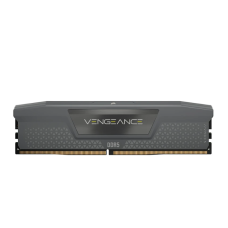
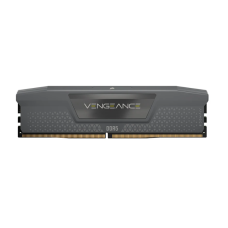
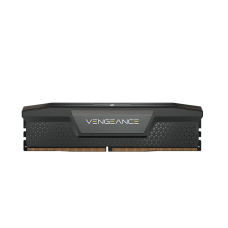
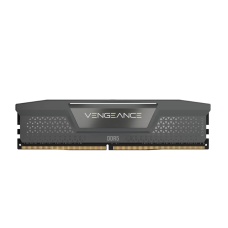
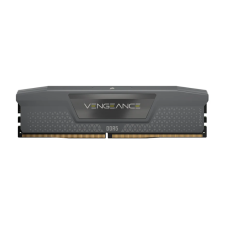
Fast Desktop RAM Price in Bangladesh for Smooth Gaming and Multitasking
RAM is your PC's short-term memory. It holds the apps, browser tabs and game files you're using right now. When RAM runs out, the PC slows down, games stutter and apps freeze. A RAM upgrade is often the cheapest way to make a PC feel fast again.
At Tech Valley, we sell genuine DDR4 and DDR5 desktop RAM from trusted brands. On this page, we help you check what your motherboard supports, choose the right size and speed, and set it up for full performance.
What Does RAM Do?
RAM (Random Access Memory) is fast, temporary storage. Your processor reads from it much faster than from an SSD or hard disk.
Every open program uses some RAM. Windows, your browser, Office apps, Discord and games all need space at the same time.
When RAM fills up, Windows moves data to the SSD. That's much slower, so you feel lag, long loading times and stutter.
A fast drive softens that slowdown. Pair your RAM with a drive from our fast NVMe SSD price in Bangladesh list.
Three things decide how well RAM performs:
- Capacity (GB): how much data it can hold at once.
- Speed (MT/s): how fast it moves data.
- Latency (CL): how quickly it responds to each request.
Capacity matters most for everyday smoothness. Speed and latency matter more for gaming FPS, especially on AMD Ryzen processors.
RAM is cleared when you turn off the PC. Your files stay safe on your SSD or hard disk.
Want a complete system with the right RAM already installed? Browse our desktop PC price in Bangladesh range.
Desktop RAM Price in Bangladesh by Capacity
RAM prices depend on type, capacity, speed, brand and heatsink design. These ranges are approximate per kit and change with dollar rates and global memory prices.
| Capacity | DDR4 (BDT, approx.) | DDR5 (BDT, approx.) | Best For |
|---|
| 8GB (1 × 8GB) | 1,800 – 3,000 | 2,800 – 4,000 | Basic office, browsing |
| 16GB (2 × 8GB or 1 × 16GB) | 3,500 – 6,000 | 5,000 – 8,500 | Gaming, everyday work |
| 32GB (2 × 16GB) | 7,000 – 11,000 | 9,500 – 16,000 | Streaming, editing, heavy multitasking |
| 64GB (2 × 32GB) | 14,000 – 22,000 | 19,000 – 32,000 | 3D, AI, workstations |
Most buyers get the best value from a 16GB kit for gaming and office work, or a 32GB kit for streaming and editing.
See live stock and today's rates in our DDR4 and DDR5 desktop RAM price list.
RGB kits cost a little more than plain ones. They add lighting but no extra speed.
Faster kits with lower latency also cost more. For most users, a mid-speed kit gives the best balance of price and performance.
Step One: Check Your Motherboard
Before you buy RAM, check what your motherboard supports. DDR4 and DDR5 are not interchangeable. They have different slots and won't fit each other's boards.
| Platform | Processors | RAM Type |
|---|
| AMD AM4 | Ryzen 1000 – 5000 | DDR4 only |
| AMD AM5 | Ryzen 7000, 8000, 9000 | DDR5 only |
| Intel LGA1200 | Core 10th – 11th Gen | DDR4 only |
| Intel LGA1700 | Core 12th – 14th Gen | DDR4 or DDR5 (depends on board) |
| Intel LGA1851 | Core Ultra 200S | DDR5 only |
Building a new system? Your chip decides the RAM type, so check the Intel and AMD processor price in Bangladesh first.
LGA1700 boards are the tricky case. Some models use DDR4, others use DDR5. A "D4" in the board name, such as B760M DS3H DDR4, usually means DDR4.
Here are three easy ways to find your RAM type:
- Check your board model: look it up on the maker's website.
- Use CPU-Z: this free app shows your RAM type, speed and slot count.
- Ask us: send your motherboard or PC model, and our team will confirm.
Count your RAM slots too. Most ATX boards have four slots. Many Micro-ATX and Mini-ITX boards have only two, which limits future upgrades.
Check the board's maximum supported capacity as well. Most modern boards support 64GB to 192GB, which is far more than most users need.
Want the board and graphics matched for you? A Gigabyte PC bundle with DDR5-ready motherboard takes the guesswork out.
How Much RAM Do You Need?
More RAM isn't always better. The right amount depends on what you do. Buying too little causes lag, but buying far too much wastes money you could spend elsewhere.
| Use | Minimum | Recommended | Notes |
|---|
| Office, browsing, study | 8GB | 16GB | 16GB keeps many browser tabs smooth |
| Esports gaming | 16GB | 16GB – 32GB | Valorant, CS2 and PUBG run well on 16GB |
| AAA gaming | 16GB | 32GB | New open-world games use more memory |
| Streaming while gaming | 16GB | 32GB | OBS and Discord add extra load |
| Photo and 1080p video editing | 16GB | 32GB | Large files load faster |
| 4K video, 3D, AI tools | 32GB | 64GB+ | Big projects and AI models need lots of RAM |
For most people today, 16GB is the comfortable minimum. Windows 11, a modern browser and a few apps can use 8GB on their own.
Gamers should aim for 32GB if the budget allows. New AAA games, background apps and future updates all push memory use higher.
Prefer a ready-to-play system? Our gaming PC price in Bangladesh builds come with 16GB to 32GB of matched RAM.
Creators and AI users benefit most from 64GB or more. Video timelines, 3D scenes and AI models fill memory fast.
Need that power on the move? A gaming laptop with 16GB to 32GB RAM handles gaming and editing anywhere.
Speed and Latency Made Simple
Two numbers on every RAM stick tell you how fast it is: speed and latency.
Speed is shown in MT/s, such as DDR4-3200 or DDR5-6000. A higher number moves more data each second.
Latency is shown as CL, such as CL16 or CL30. A lower number means the RAM responds faster.
Speed and latency work together. A fast kit with very high latency may not beat a slightly slower kit with low latency.
| Platform | Sweet-Spot Kit | Why |
|---|
| AMD AM5 (Ryzen 7000–9000) | DDR5-6000 CL30 | Best match for Ryzen's internal speed |
| Intel Core Ultra (LGA1851) | DDR5-6000 to 6400 | Strong performance without high cost |
| Intel LGA1700 DDR5 | DDR5-5600 to 6000 | Stable and fast for most boards |
| AMD AM4 / Intel DDR4 | DDR4-3200 CL16 or 3600 CL18 | Best value for older platforms |
Faster RAM helps gaming FPS most on AMD Ryzen processors and on PCs that use integrated graphics.
For a bigger FPS jump, a dedicated card matters more than RAM speed. Compare our latest graphics card price in Bangladesh list.
Very high-speed kits, such as DDR5-8000, cost much more and may not run stable on every board. For most users, the sweet-spot kits above give the best value.
Two Sticks Beat One: Dual Channel
Most desktop processors read memory through two channels at once. To use both, you need at least two RAM sticks.
Two matching sticks run in dual-channel mode. This nearly doubles memory bandwidth and can raise gaming FPS noticeably, especially with integrated graphics.
That's why a 2×8GB kit is usually better than a single 16GB stick, even though the total is the same.
Install sticks in the right slots. On a four-slot board, the manual usually recommends slots A2 and B2, the second and fourth slots from the CPU.
If you plan to add more RAM later, think ahead. Two sticks are often more stable than four, especially with fast DDR5. A 2×16GB kit is a better long-term choice than 4×8GB.
Turn On XMP or EXPO
New RAM doesn't run at its rated speed straight out of the box. It starts at a safe default, often much slower than the speed on the box.
To unlock the full speed, turn on a memory profile in the BIOS:
- XMP: used on Intel boards and many AMD boards.
- EXPO: AMD's profile for DDR5 on AM5 boards.
The steps are simple:
- Restart the PC and press Delete or F2 to enter the BIOS.
- Find the XMP, EXPO or memory profile option.
- Select Profile 1 and save.
- Restart and check the speed in Windows or CPU-Z.
The first boot after enabling DDR5 profiles can take a minute while the board trains the memory. This is normal.
If the PC won't start after enabling a profile, reset the BIOS and try a slightly lower speed. Our team can also set this up for you when we assemble your PC.
Upgrading RAM in an Old PC
A RAM upgrade is one of the cheapest ways to speed up an older desktop. A few simple checks make sure it works the first time.
Check your current RAM first. Open Task Manager, go to Performance, and click Memory. You'll see your total RAM, speed and how many slots are used. CPU-Z shows even more detail.
Match the type. DDR3, DDR4 and DDR5 are not interchangeable. If your PC uses DDR4, buy DDR4.
Upgrading a laptop instead? Laptops use smaller SO-DIMM sticks, not desktop RAM. For a newer machine, see our original laptop price in Bangladesh range.
Adding to existing RAM can work, but follow these tips:
- Match the capacity of your current sticks, such as adding another 8GB to an existing 8GB.
- Match the speed if possible. Mixed sticks run at the speed of the slowest one.
- Match the brand and model when you can. This gives the best chance of stable dual-channel operation.
- Test for stability after installing. If the PC crashes, try lower speeds or replace both sticks with a matched kit.
Replacing all RAM with a new matched kit is often the safest choice. You get guaranteed compatibility, full speed and dual-channel performance.
Very old PCs with DDR3 may not be worth a big RAM upgrade. If your PC uses DDR3, a new platform with DDR4 or DDR5 may give much more value.
Thinking of replacing the whole machine? Compare options in our all laptop price in Bangladesh list.
Handle RAM carefully. Touch a metal part of the case first to release static. Hold sticks by the edges, and press firmly until both clips click into place.
Popular Desktop RAM Brands
Many brands make reliable RAM. Most use memory chips from a few major makers, so quality is generally good across trusted brands.
| Brand | Popular Lines | Known For |
|---|
| Corsair | Vengeance, Vengeance RGB, Dominator | Wide range, strong RGB software |
| G.Skill | Trident Z5, Flare X5, Ripjaws | High-speed kits, AMD EXPO options |
| Kingston | Fury Beast, Fury Renegade | Reliable, plug-and-play stability |
| TeamGroup | T-Force Delta, Vulcan | Strong value, popular RGB models |
| Adata XPG | Lancer, Spectrix | Good speed for the price |
| Lexar | Ares, Thor | Competitive DDR5 value |
| Crucial | Pro, Classic | Simple, stable, low-profile options |
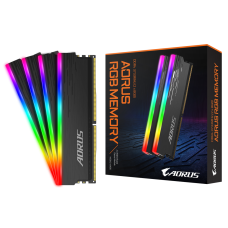
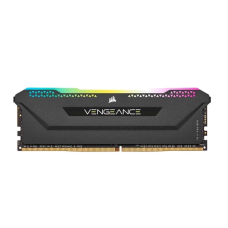
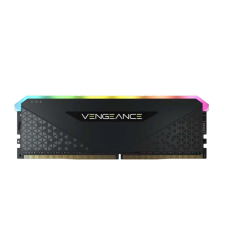
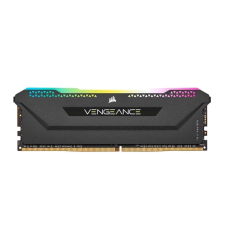
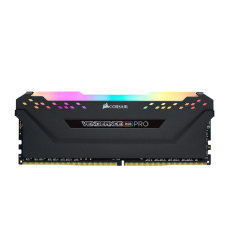
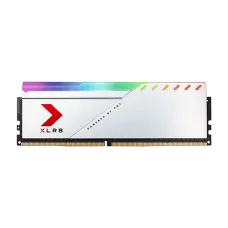
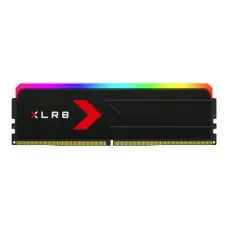
RGB or non-RGB? RGB kits add lighting that syncs with your motherboard and fans. They cost a little more and don't improve speed. Choose non-RGB if you want the best value or a clean look.
Going for a full RGB setup? Match your RAM with keyboards, mice and headsets from our RGB gaming accessories collection.
Heatsink height matters. Tall RGB heatsinks can block large tower CPU coolers. Check clearance, or choose a low-profile kit if you use a big air cooler.
Want tall RGB RAM with no clearance worries? Pick a liquid model from our air and liquid CPU cooler price in Bangladesh range.
Warranty: most trusted RAM brands offer long or lifetime limited warranty. Keep your invoice safe for any claim.
How to Get Desktop RAM at the Best Price in BD?
You can get desktop RAM at the best price from Tech Valley. We sell genuine DDR4 and DDR5 kits from Corsair, G.Skill, Kingston, TeamGroup and other trusted brands, with official warranty.
Tell us your motherboard or PC model. Our team will confirm the RAM type, slot count and best speed for your system.
We deliver across Bangladesh and offer EMI on major bank cards. If you buy a PC or combo from us, we can install the RAM and enable XMP or EXPO for you.
Frequently Asked Questions
What is the desktop RAM price in Bangladesh?
Desktop RAM costs about 1,800 taka for 8GB DDR4 to over 30,000 taka for 64GB DDR5 kits. A 16GB DDR5 kit costs about 5,000 to 8,500 taka.
How much RAM do I need for gaming?
16GB is the minimum for modern games. 32GB is better for new AAA titles, streaming and running apps in the background.
DDR4 or DDR5: which should I buy?
Buy the type your motherboard supports. AM5 and Intel Core Ultra boards need DDR5. AM4 and older Intel boards use DDR4.
Can I use DDR5 in a DDR4 motherboard?
No. DDR4 and DDR5 have different slots and notches. A board supports only one type, so they can't be swapped.
Is one 16GB stick or two 8GB sticks better?
Two 8GB sticks are better. They run in dual-channel mode for higher bandwidth and better gaming performance.
What RAM speed is best for Ryzen?
DDR5-6000 CL30 is the sweet spot for Ryzen 7000 and 9000. For AM4 Ryzen, DDR4-3200 CL16 or 3600 CL18 works well.
What is XMP or EXPO?
They are BIOS profiles that run RAM at its rated speed. Turn on XMP for Intel or EXPO for AMD after installing your RAM.
Can I mix different RAM brands?
It's possible but not ideal. Mixed sticks may run slower or cause crashes. A matched kit from one brand gives the best stability.
Does RGB RAM perform better?
No. RGB only adds lighting. Speed, latency and capacity decide performance. Choose RGB only if you like the look.
Where can I buy desktop RAM in BD?
You can buy desktop RAM from Tech Valley. We offer genuine DDR4 and DDR5 kits, official warranty, compatibility checks and nationwide delivery.

-2666MT-1-228x228.jpg "GIGABYTE Memory 8GB (1x8GB) 2666MHz # GP-GR26C16S8K1HU408, Product Life Time")