
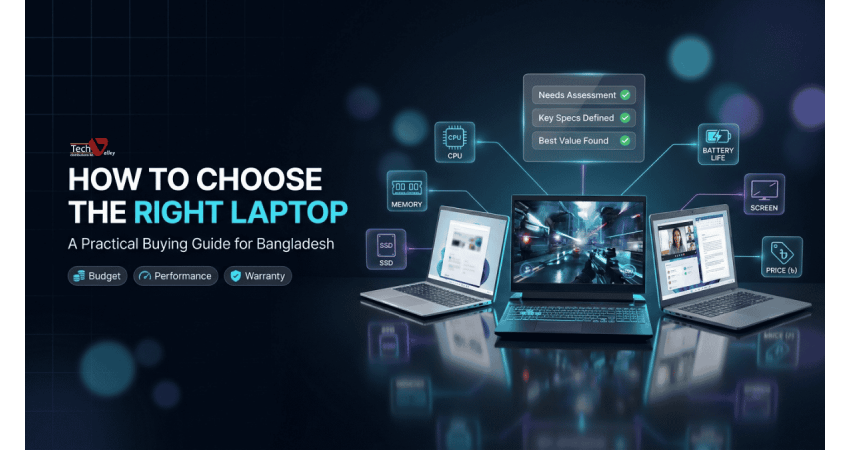
How to Choose the Right Laptop in Bangladesh: A Practical Buying Guide
Buying a laptop is one of the biggest tech decisions most Bangladeshi families, students and professionals make. It is a purchase you will use every day for three to five years, so a wrong choice is expensive in both money and frustration. The market is full of confusing model names and tempting offers.
Start With Your Use Case, Not the Spec Sheet
The single best habit before buying is to write down what you will do on the laptop in a normal week. The heaviest task you run regularly decides the hardware you need.
Students usually need a reliable, lightweight machine for online classes, research, presentations and coding practice. Freelancers working in graphic design, video editing or programming need stronger processing power, more memory and a good display. Gamers need a dedicated graphics card and strong cooling. Business users care most about battery life, weight, security features and a keyboard that is comfortable for long typing sessions.
| Buyer type | What matters most | Laptop category to look at |
|---|---|---|
| Student | Light weight, long battery, easy price | Everyday laptop |
| Freelancer or creator | Fast processor, more RAM, accurate display | Performance everyday laptop or premium ultrabook |
| Gamer | Dedicated graphics, cooling, high refresh rate screen | Gaming laptop |
| Business professional | Battery, portability, build quality, security | Premium ultrabook or business-series laptop |
Pro Tip
Buy for the work you will do over the next three years, not just this month. A little extra headroom in processor and memory keeps the laptop comfortable as software becomes heavier.
Processor: The Brain of Your Laptop
Most laptops in Bangladesh use either Intel Core or AMD Ryzen processors. Neither is automatically better; the tier and generation matter.
Intel names its chips Core i3, i5, i7 and i9, and newer lines use Core Ultra branding. AMD uses Ryzen 3, 5, 7 and 9. In simple terms, the lower numbers suit light work such as browsing, office apps and video calls. The middle tier, Core i5 or Ryzen 5, is the sweet spot for most people because it handles multitasking, light editing and coding comfortably. The upper tier, Core i7 or Ryzen 7 and above, is meant for video editing, 3D work, heavy multitasking and gaming.
RAM: How Much Memory Do You Really Need?
RAM is the short-term memory your laptop uses to keep several tasks open at once. If it runs out, the laptop slows down.
For basic study and office use, 8 GB is a workable starting point today. For freelancers, programmers and anyone who keeps many applications open, 16 GB is a much more comfortable choice. Many thin laptops have soldered RAM that cannot be upgraded.
SSD vs HDD: Storage That Actually Feels Fast
An SSD (solid state drive) has no moving parts, so it boots fast and survives bumps better than an old-style HDD (hard disk drive). Almost every good laptop today should come with an SSD as the main drive. A laptop that boots from an HDD feels slow, so we do not recommend one as the primary drive. For storage, 512 GB gives comfortable room, and creators should consider 1 TB.
| Feature | SSD | HDD |
|---|---|---|
| Speed | Very fast boot and app loading | Noticeably slower |
| Durability | No moving parts, better with bumps | Moving parts, more sensitive to shocks |
| Best use | Main drive for Windows and apps | Extra storage for backups |
Display, Battery and Weight
You will stare at the screen for hours, so do not ignore it. Full HD (1920 x 1080) is the practical minimum for a good picture. Look for an IPS panel, which gives better viewing angles and colour than cheaper panel types. Designers should look for wider colour coverage, and gamers for a higher refresh rate such as 120 Hz or above.
Battery life matters in a country where load-shedding and traffic can interrupt your day. Real use is usually lower than manufacturer claims, and gaming laptops draw a lot of power. If you carry your laptop to class or the office daily, weight is just as important. Gaming laptops are heavier because of cooling systems and bigger adapters.
Quick Note
Do not judge battery life only by the capacity number. Processor efficiency, screen brightness and the type of work you do all change how long a charge really lasts.
Ports and Connectivity
Check that the laptop has enough USB ports for your mouse, pen drive and external disk, plus an HDMI or USB-C video output if you present or use a second monitor. Some thin models drop the LAN port and memory card slot, so confirm before buying. Modern Wi-Fi and Bluetooth also help with online classes and calls. Plan your add-ons early too: a good mouse, bag or cooling pad makes daily use easier, and you can browse useful laptop accessories in Bangladesh in one visit.
Laptop Categories: Everyday, Gaming and Premium Ultrabook
Most laptops fall into three broad groups, and knowing the group narrows your search quickly.
Everyday Laptops
Balanced machines for study, office work, browsing and light creative tasks. They offer the best value and are the right pick for most buyers.
Gaming Laptops
Built with dedicated graphics, fast processors and stronger cooling for games and heavy creative software. They are heavier and use more battery.
Premium Ultrabooks
Thin, light and well built, with excellent screens and long battery life. They suit professionals who travel and value portability.
If you are still exploring, our full range of laptop price in Bangladesh shows every category in one place. For standard study and office needs, check the latest branded laptop price in Bangladesh listings. Gamers can compare the current gaming laptop price in Bangladesh options, while professionals who want something slim and refined should look at a premium ultrabook in Bangladesh.
Brand Overview: Who Makes What
Every major brand has strengths, and a good laptop can come from any of them. Here is a general overview.
| Brand | Generally known for | Good fit for |
|---|---|---|
| HP | Wide range, solid build, strong business and everyday lines | Students, offices, home users |
| Dell | Dependable business laptops and well-regarded premium lines | Professionals and corporate users |
| Lenovo | Comfortable keyboards, durable ThinkPad and flexible IdeaPad ranges | Business users, students, programmers |
| Asus | Strong value, creative and gaming options | Creators, gamers, general users |
| Acer | Competitive pricing across everyday and gaming models | Budget-conscious buyers, gamers |
| MSI | Focus on gaming and high-performance machines | Gamers and heavy workloads |
| MacBook | Polished design, excellent displays, smooth software experience | Designers, developers, creators in the Apple ecosystem |
If value for money is your priority, an Acer laptop price in Bangladesh comparison is a good place to start. Whichever brand you choose, warranty and service support matter more than the logo on the lid.
Plan Your Budget Wisely
Set a realistic budget before you start browsing, and decide which spec you will not compromise on. For most buyers, the best use of money is a good processor, enough RAM and an SSD, in that order. Paying for features you will not use is rarely worth it.
Pro Tip
If you have to trade something off, trade screen size or brand name before you trade RAM or SSD. Memory and storage affect daily speed far more than a slightly bigger screen.
Genuine Warranty vs Grey Market
This is the part of the buying process where many people lose money. Grey-market laptops are imported through unofficial channels. They may look identical and carry a lower price, but they often come without official brand warranty, and getting repairs or genuine spare parts can be slow, costly or impossible.
A genuine laptop from an authorized seller comes with an official brand warranty, a verifiable serial number and access to proper after-sales service. Before paying, ask for the warranty terms in writing, check the serial number with the brand, and make sure the seller has a service centre you can visit.
Common Mistakes to Avoid
These mistakes come up again and again.
- Choosing only by processor name without checking the generation, RAM and storage type.
- Buying a laptop with an HDD as the main drive to save a small amount of money.
- Paying for a gaming laptop when the real work is office and study.
- Accepting a very low price without checking warranty and seller authenticity.
Your Laptop Buying Checklist
Use this short checklist before you pay, whether you buy online or in a shop.
- Use case is written down and the laptop category is chosen.
- Processor generation is checked, not just the Core or Ryzen tier.
- RAM is at least enough for your work, with upgrade options known.
- The main drive is an SSD of suitable size.
- Warranty is official, written and backed by a local service centre.
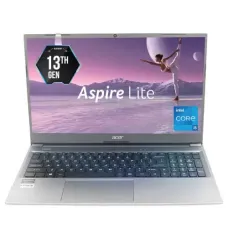
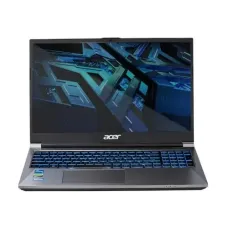
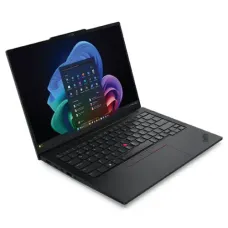
Prices are as listed on the Tech Valley website at the time of writing and may change. Please confirm current price, stock and delivery with customer care before ordering.
How to Buy Your Laptop at Tech Valley
Tech Valley Distributions Ltd. is based in Agargaon, Dhaka, and sells authorized, genuine computers, laptops, gaming gear and IT products with official brand warranty. Our after-sales service centre is there if you need support later.
You can start with a free pre-sale consultation: tell our team your use and budget, and we will suggest suitable options. If you want a desktop instead, our custom PC builder lets you design a machine around your needs. We offer EMI plans, bKash and Nagad payment, and delivery to all 64 districts, so buyers outside Dhaka get the same genuine products. When you are ready, visit the Tech Valley computer and laptop shop in Dhaka to compare models and place your order.
Frequently Asked Questions
How much RAM is enough for a student laptop?
8 GB is a reasonable starting point for online classes, research and office work. If you plan to learn programming or run many apps together, 16 GB is a safer choice.
Is Intel or AMD better for laptops?
Neither is better in every case. Both brands offer strong chips at each price level. Compare the exact model, its generation and how it performs for your type of work instead of choosing by brand alone.
Why should I avoid grey-market laptops?
They often lack official brand warranty, so repairs and spare parts can be difficult. Genuine laptops from an authorized seller give you verified products and reliable service support if something goes wrong.
Is a 256 GB SSD enough?
It works for light use but fills up fast. A 512 GB SSD is more comfortable for most people, and an external drive handles backups.
Can I buy a laptop on EMI from Tech Valley?
Yes, Tech Valley offers EMI options. Please contact our team for the current terms and eligible banks or cards, because conditions can change.
Do you deliver laptops outside Dhaka?
Yes, we deliver to all 64 districts. Your laptop comes with the same genuine warranty, and our team can guide you on the delivery process when you order.

There are no comments for this Article.