
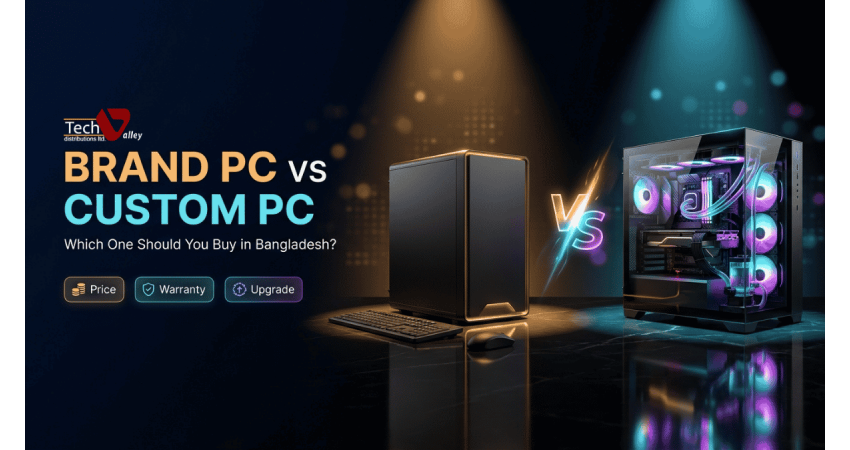
Brand PC vs Custom PC: Which One Should You Buy in Bangladesh?
Almost every buyer asks the same question: should I buy a ready-made brand PC, or have a custom PC assembled? Both are good choices, but for different people.
This guide explains the difference in plain English. We compare warranty, setup, performance per taka, upgrades, power, cooling, noise and size. Then we match each type of buyer with the option that usually fits best. Browse everything here at the Tech Valley computer shop in Dhaka.
What Is a Brand PC?
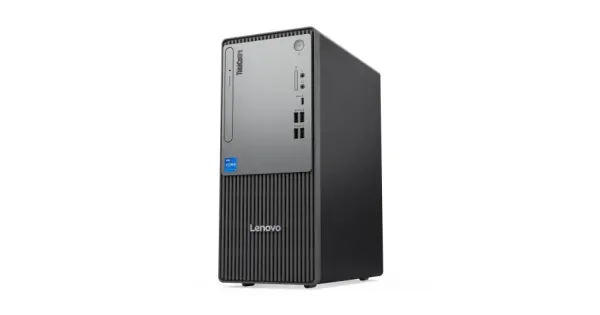
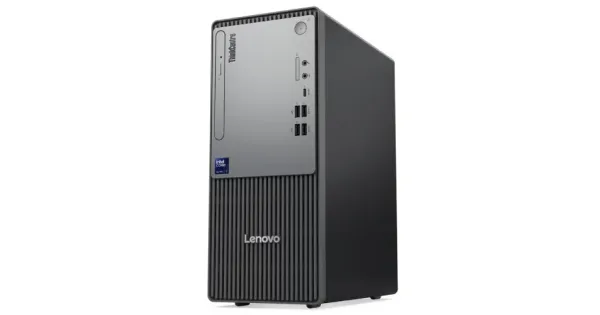
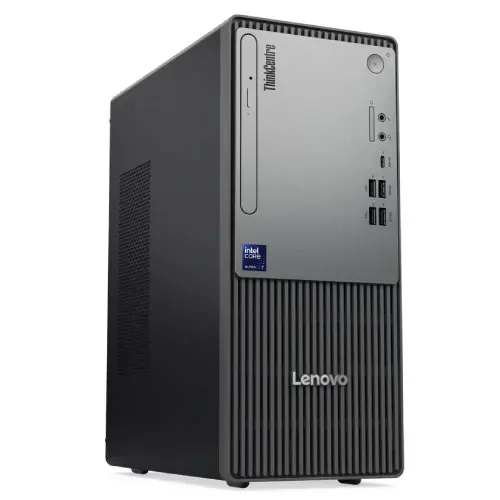
A brand PC is a complete computer designed, assembled and tested by a manufacturer such as HP, Dell, Lenovo or Acer, and sold as one product with one model number. Many buyers also include all-in-one computers in this group, where the processor, storage and display are built into a single unit with just a stand and a cable.
The main promise of a brand PC is simplicity: unbox it, connect it and start working. If you are comparing a brand PC price in Bangladesh, remember that you are paying for tested hardware, a pre-installed and tuned setup, and a single point of contact for warranty. If you like the tidy, space-saving look, the all in one PC for home and office range removes the tower and most of the cables from your desk.
What Is a Custom PC?
A custom PC is built around your needs. You or a technician pick each part separately: processor, motherboard, memory, storage, graphics card, power supply, case and cooling. Every part has its own brand and its own warranty. You can put your budget exactly where it matters, such as a stronger graphics card for gaming.
Plan the build with a PC builder tool in Bangladesh, which helps you check that parts fit together. If you prefer something between the two, Tech Valley also offers a desktop PC collection for every budget with ready-to-use configurations.
Pro Tip
A custom PC is only as good as the person who builds and tests it. Ask who assembles it, how cables are managed and whether the system is stress-tested before delivery.
Warranty: One System Warranty vs Per-Part Warranty
Warranty is the biggest practical difference. With a brand PC, the manufacturer usually covers the whole system, so you contact one company and they diagnose the fault.
With a custom PC, each component carries its own warranty from its own brand or importer. That is not a weakness if the parts are genuine and the seller is reliable, because every part can be claimed on its own. But you, or the seller, must first work out which part is faulty. Buy every component from one authorized seller.
| Point | Brand PC | Custom PC |
|---|---|---|
| Warranty type | One warranty for the whole system | Separate warranty for each part |
| Who you contact | The brand service channel | The seller, who routes it to each part's brand |
| Fault finding | Handled by the brand | Needs testing to find the faulty part |
| Warranty length | Depends on the model and brand | Depends on each part, and can differ by part |
| Best protection | Keep the box, invoice and serial number | Keep the invoice listing every part and serial number |
Setup and After-Sales Support
A brand PC arrives ready to use, with the manufacturer publishing drivers and support pages for the exact model. A custom PC needs more care at the start: fitting parts, checking the BIOS, installing the operating system and updating drivers. A poor build may show up later as random restarts, loud fans or overheating.
In both cases, after-sales matters more than the purchase day. Tech Valley provides genuine products, official brand warranty and an after-sales service center for both.
Performance Per Taka
Performance per taka is where custom PCs often shine. When you build your own system, you do not pay for a brand badge, a compact designed case or bundled extras you may not need. You can spend more on the parts that drive speed in your work and less on the parts that do not.
For serious play, check the gaming PC price in Bangladesh range, where graphics cards and cooling are chosen for frame rates rather than for looks alone.
Upgrade Flexibility
This is the second big difference. A custom PC uses standard-size parts and a normal case, so you can replace the graphics card, add memory, install a larger drive or swap the power supply as your needs grow.
Brand PCs vary. Some business desktops allow memory and storage upgrades easily, while compact or all-in-one models may allow very little. Ask which parts can be upgraded before you buy.
Power, Cooling, Noise and Size
Compact brand PCs are tuned by the maker to run quietly for everyday work. Custom PCs can be built for silence or raw power, but a powerful graphics card needs a good power supply and airflow. Cheap cases and weak power supplies are the most common reason a custom build is noisy or unstable. A mini case saves space but gives less room for cooling, while a mid tower runs cooler.
Before You Pay
Ask for the warranty terms in writing, and confirm whether the operating system is licensed.
Quick Note
A good power supply is not a place to save money on a custom build. It feeds every other part, and a weak one can damage them.
Who Should Buy Which?
Think about your daily work first, then your budget, then your comfort with technology. These three summaries cover the most common starting points.
Choose a brand PC if
You want a quiet, tidy machine that works on day one, with one warranty and simple support for you or your staff.
Choose a custom PC if
You need strong performance for a specific task, want to upgrade over time, or care about getting the most for every taka.
Choose a mix if
You run an office with different roles, and want brand PCs for routine desks and custom or special PCs for heavy users.
| Buyer | Usually better | Why |
|---|---|---|
| Office staff | Brand PC | Easy to deploy, one warranty, low maintenance |
| School or lab | Brand PC | Many identical machines are simple to manage and support |
| Gamer | Custom PC | Graphics card, cooling and upgrades matter most |
| Video or photo editor | Custom or special PC | Memory, storage and processor can be matched to your software |
| Freelancer | Either | Depends on whether your work is light or heavy |
| Small business | Mixed | Brand PCs for routine work, custom for demanding tasks |
Freelancers sit in the middle. A designer or developer who works with large files will benefit from the freedom of a custom build, while a writer, marketer or customer-support freelancer will do very well with a reliable brand desktop. For demanding creative or technical jobs, a special PC for editing and workstation use gives you a configuration planned for heavy workloads.
Total Cost of Ownership
The invoice price is only part of the story. Total cost of ownership also includes extra parts, downtime when something fails, electricity, repairs and resale value.
A brand PC may cost a little more for similar speed, but it can reduce hidden costs: setup time, troubleshooting and the risk of mismatched parts. A custom PC may cost less up front and last longer through upgrades, but a weak build can create repair costs and lost work hours.
Do not forget the rest of the desk. A good display and comfortable peripherals affect daily work as much as the tower does, so budget for a monitor for office and gaming use and a few computer accessories in Bangladesh such as a keyboard, mouse and UPS.
A Mixed Strategy for Businesses
A sensible approach is to buy brand PCs for the front desk, accounts and general staff, who want reliability and simple support. Then give custom or special PCs to the few people who need more power, such as a designer, a video editor or an engineer.
Red Flags to Avoid
- No written invoice listing the model or every component and its serial number.
- A price far below the market, which can signal refurbished or counterfeit parts.
- A seller who cannot explain how warranty claims work or where the service center is.
- A custom build with a very cheap power supply or case paired with an expensive graphics card.
Your Decision Checklist
- What will I do on this computer most days: office work, study, gaming or editing?
- Do I want to upgrade the PC in the next two or three years?
- Do I want one warranty and one phone number, or am I fine with several?
- How much desk space do I have, and does noise bother me?
- Does the seller offer genuine products, delivery and a real service center?
If most answers point to simplicity, choose a brand PC. If most point to performance and flexibility, choose a custom build.
How Tech Valley Helps With Both
Tech Valley Distributions Ltd. in Agargaon, Dhaka, sells authorized and genuine products with official brand warranty, so you do not have to choose between the two paths in the dark. Free pre-sale consultation helps you compare options.
For brand PCs and all-in-one models, you get genuine machines backed by the brand. For performance work, the special PC and gaming PC ranges are planned around specific tasks, and the PC builder helps you assemble your own configuration. EMI is available, you can pay with bKash or Nagad, and delivery reaches all 64 districts.
Prices and availability are as listed on the Tech Valley website at the time of writing and may change. Please confirm current price, stock and delivery with customer care before ordering.
Frequently Asked Questions
Is a brand PC better than a custom PC?
Neither is better for everyone. A brand PC is better for simplicity, one system warranty and easy support. A custom PC is better for performance per taka and upgrades.
Which is better for gaming?
Most gamers prefer a custom or gaming PC, because the graphics card, cooling and power supply can be matched to the games they play. Upgrading later is also easier.
How does warranty work for a custom PC?
Each part has its own warranty from its brand or importer. Keep the invoice with the serial numbers. Buying all parts from one authorized seller makes claims simpler.
Can I upgrade a brand PC?
Sometimes. Many business desktops allow memory and storage upgrades, but compact and all-in-one models may allow very little. Ask the seller before buying.
Which PC is best for a school or office?
A brand PC is usually the best fit, because many identical machines are easy to set up, manage and support. Heavier users in the same office can get custom or special PCs.
Does Tech Valley build custom PCs?
Yes. You can use the PC builder, choose a special or gaming PC, or ask the team for free advice on a configuration that matches your work and budget.

There are no comments for this Article.