
-850x450.png)
How to Choose the Right Monitor for Work, Study and Gaming
A monitor is the part of your computer that you look at for hours every day, yet many buyers choose it last and in a hurry. A poor choice can cause headaches and wasted money. This guide explains every important feature in plain English, so you can match a screen to your real needs instead of simply buying the biggest or cheapest one.
You can browse the full range of computer monitor price in Bangladesh at Tech Valley, and our team in Agargaon will gladly give free pre-sale advice if you are still unsure after reading.
Start With How You Will Use the Monitor
Before comparing numbers, ask what you will do on this screen most of the day. Once the main use is clear, most specifications become easy to judge.
Work and Study
Comfort matters most. Look for a sharp Full HD or QHD image, an eye-care panel, a good stand and the right ports for your laptop.
Creative Work
Color accuracy and viewing angles come first. A quality IPS panel with good color coverage is usually the best starting point.
Gaming
Smooth motion matters most. Prioritise refresh rate and response time, then make sure your graphics card can drive them.
Screen Size and Desk Distance
Size is not only about how big the screen looks in the shop. It is about how far your eyes are from the panel. At a normal desk, you sit roughly an arm's length away. For that distance, a 22 to 24 inch screen suits most office and study desks, a 27 inch screen gives more room for multitasking and gaming, and anything larger works best on a deeper desk or when you sit further back.
If you must turn your head to see the corners, the screen is too big for your desk.
Resolution: Full HD, QHD and 4K
Resolution is the number of pixels on the screen. More pixels give sharper text and more working space, but they also demand more from your computer. Many gamers buy 4K and then find their graphics card cannot keep up.
| Resolution | Best For | Graphics Card Need |
|---|---|---|
| Full HD (1920 x 1080) | Office, school work, budget gaming, CCTV viewing | Light. Integrated graphics or an entry-level card is enough for daily tasks. |
| QHD (2560 x 1440) | Productivity, 27 inch screens, balanced gaming | Moderate. A mid-range graphics card is a sensible match for games. |
| 4K (3840 x 2160) | Photo and video editing, detailed design, large workspaces | High. Games need a powerful card, while office use is easy for modern laptops. |
As a simple rule, Full HD suits up to about 24 inches, QHD fits 27 inches, and 4K shines on larger screens or in creative work.
Panel Types: IPS, VA and TN
The panel is the technology behind the image.
| Panel Type | Strengths | Trade-offs |
|---|---|---|
| IPS | Good colors and wide viewing angles, so the image looks consistent from the side | Contrast is usually average, and dark scenes can look a little grey in a dim room |
| VA | Deeper blacks and stronger contrast, popular in curved monitors | Viewing angles are narrower, and fast motion can look slightly smeared on some models |
| TN | Very fast response, often found on budget and older esports screens | Weaker colors and narrow viewing angles |
For most people, IPS is the safest all-round choice. TN is rarely needed today.
Refresh Rate and Response Time
Refresh rate, measured in Hz, is how many times per second the screen updates. A standard office monitor runs at 60Hz, which is fine for documents and video. Rates such as 120Hz or 144Hz make motion smoother, which helps in fast games.
Response time describes how quickly a pixel changes colour; a slow one leaves faint trails.
Pro Tip
A high refresh rate monitor only helps if your graphics card can deliver those frames. Otherwise you pay for performance you never see.
Color Accuracy for Designers and Editors
If you edit photos, design graphics or cut video, the colours on your screen must match what appears in print or on other devices. Look for an IPS panel with good sRGB coverage as a minimum, and wider coverage if your work needs it. Factory calibration and a stable image across the whole screen are also valuable.
Brands such as BenQ monitor for photo editing and design are well known for creative-focused models.
Eye Comfort Features
Students and office workers often spend eight hours or more in front of a screen, so eye comfort is not a luxury. Two features are worth checking. Flicker-free technology removes the rapid brightness changes that some backlights produce, which can tire the eyes. A low blue light mode shifts the colours warmer, which many people find easier in the evening.
An anti-glare surface and brightness that goes low enough for a dim room also help.
Quick Note
Names differ between brands. Check the product page for flicker-free and low blue light support rather than assuming every monitor includes them.
Ports: HDMI, DisplayPort and USB-C
The best screen is useless if it cannot connect to your device, so check your computer first.
- HDMI: Found almost everywhere, from laptops to consoles. Different HDMI versions support different resolutions and refresh rates, so check the version for high refresh gaming.
- DisplayPort: Preferred by many PC gamers and professionals for high refresh rates and for chaining multiple screens on some models.
- USB-C: Very handy for modern laptops, because one cable can carry the image and, on supported models, charge the laptop as well. Confirm that the port supports video output.
Stand Ergonomics and VESA Mounting
A comfortable body position protects your neck and back. The top of the screen should sit at or just below eye level, and the screen should be slightly tilted back. Many budget monitors only tilt, while better stands adjust height and swivel.
If the included stand is limited, check for VESA mounting holes on the back. VESA is a standard hole pattern that lets you attach a monitor arm or wall mount, which frees desk space and gives full freedom to position the screen. You can find suitable arms and cables in the computer accessories in Bangladesh section.
Curved, Flat and Ultrawide Screens
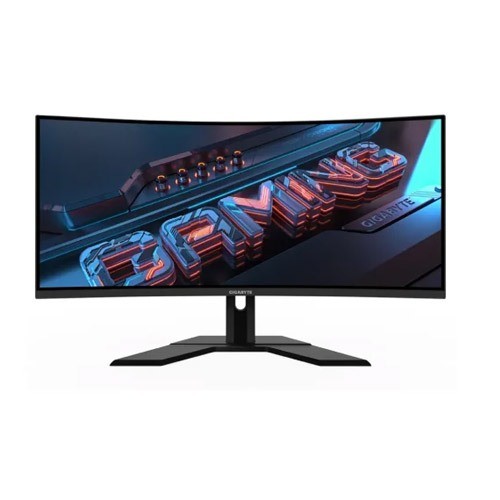
A curved monitor wraps around your view, which feels immersive in games and movies. For shared viewing or precise design work, a flat screen is more practical.
An ultrawide monitor has a much wider shape, often 21:9. It replaces two side-by-side screens for spreadsheets and coding. The trade-offs are higher cost and more desk width.
Dual-Monitor Setups
Two monitors can boost productivity more than almost any other upgrade. You can keep a video call or reference material on one screen and your main work on the other. Buy two monitors of the same size and resolution, and check that your computer has enough video outputs.
The Right Monitor for Every User
| User | What to Prioritise | Sensible Direction |
|---|---|---|
| Office staff | Comfort, eye care, durability, reliable warranty | 22 to 27 inch IPS screen, Full HD or QHD, 60Hz is enough |
| Students | Value, eye comfort, easy laptop connection | 22 to 24 inch Full HD screen with HDMI, USB-C if the laptop supports it |
| Editors and designers | Color accuracy, resolution, stand flexibility | IPS panel, QHD or 4K, good color coverage |
| Gamers | Refresh rate, response time, adaptive sync | Match the screen to your graphics card, and see the gaming monitor and accessories in Bangladesh range |
| CCTV and security viewing | Long running hours, stable image, HDMI input | Full HD screen from a trusted brand, mounted on a wall or arm |
A CCTV screen often runs all day, so choose a reliable model. Security brands such as Hikvision also make displays built for long, steady operation.
Which Brand Should You Choose?
At Tech Valley, every product is genuine and comes with official brand warranty. Here is a general idea of what each name is known for.
Many offices choose the HP monitor price in Bangladesh range for dependable everyday screens, while the Dell monitor price in Bangladesh range is popular for business and professional use thanks to solid build and good stands. Gamers and home users often look at the Acer monitor price in Bangladesh range for strong features at friendly prices, and the Samsung monitor price in Bangladesh range for stylish designs and curved options.
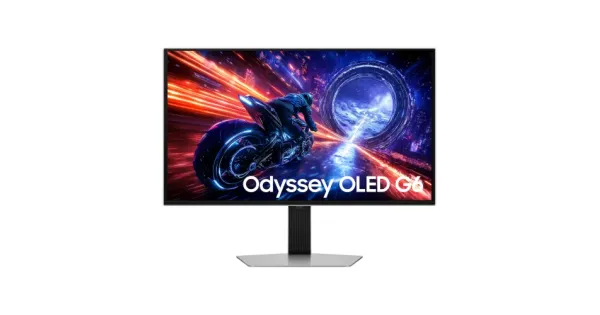
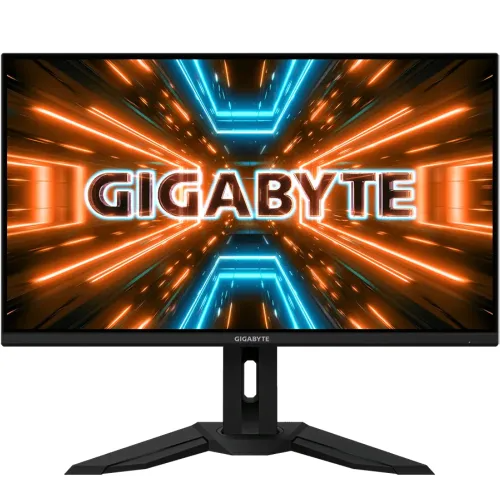
BenQ is respected for eye-care and colour-focused models, Lenovo offers practical business and home screens that pair well with its laptops, Gigabyte focuses on gaming features, and Hikvision serves CCTV and security needs.
Prices and availability are as listed on the Tech Valley website at the time of writing and may change. Please confirm current price, stock and delivery with customer care before ordering.
Common Mistakes to Avoid
- Buying 4K or a very high refresh rate without checking that the computer can drive it.
- Choosing only by size and ignoring resolution, which gives a large but blurry image.
- Buying from an unknown seller with no official warranty or service support.
Monitor Buying Checklist
- Main use decided: work, study, creative work, gaming or CCTV.
- Resolution matches both the screen size and the graphics card.
- Refresh rate and response time suit your games or daily use.
- Flicker-free and low blue light support confirmed.
- Ports match your laptop or PC, and the cables are included.
- Stand adjusts well, or VESA holes are present.
- Genuine product with official warranty and after-sales service.
Complete the Setup: Keyboard, Mouse and Webcam
A comfortable keyboard price in Bangladesh choice reduces typing fatigue, and a well-fitting mouse price in Bangladesh option improves control for both office tasks and games. If you attend online classes or meetings, a clear webcam price in Bangladesh model makes you look sharp on video calls, and many monitors have a convenient spot to mount it. You can explore everything together on the Tech Valley computer shop in Dhaka homepage.
Frequently Asked Questions
What monitor size is best for a home office?
A 24 to 27 inch screen suits most home offices. Choose 24 inches for a smaller desk and 27 inches if you often keep several windows open.
Is a 4K monitor worth it for students?
For most students, Full HD or QHD is enough and costs less. A 4K screen makes sense mainly for video editing, design or detailed creative work.
Which panel type is best, IPS, VA or TN?
IPS is the best all-round choice for colours and viewing angles. VA offers deeper blacks and TN offers very fast response on a tight budget.
Do I need a high refresh rate monitor for office work?
No. A 60Hz screen is fine for documents, browsing and meetings. High refresh rates mainly benefit gaming, though some users enjoy the smoother feel while scrolling.
Can I use a normal monitor for CCTV viewing?
Yes, as long as it has an input that matches your recorder, usually HDMI. Because CCTV screens often run for long hours, choose a reliable model with a warranty.
Does Tech Valley offer warranty and after-sales support on monitors?
Yes. Tech Valley sells authorized, genuine products with official brand warranty and has an after-sales service center. Free pre-sale consultation and EMI are also available.

There are no comments for this Article.