
UPS Buying Guide for Home and Office in Bangladesh
Every computer user in Bangladesh knows the sudden silence of a power cut: the fan stops, the screen goes black and the unsaved work disappears. Even when electricity does not go off completely, the voltage can rise and fall enough to stress your devices. A UPS, or uninterruptible power supply, is the simple device that stands between your equipment and these problems. This guide explains how a UPS works, how to size one, and how to buy the right model for your home or office without paying for capacity you do not need.
Why a UPS Matters in Bangladesh
Load shedding, storms and maintenance work still interrupt power in many areas, especially during peak summer demand. Voltage fluctuation is just as common, with sags and spikes that stress devices. A computer that loses power abruptly can lose unsaved files or corrupt its operating system.
What a UPS Actually Does
A UPS contains a battery, a charger, and a circuit that switches between mains power and battery power. When the mains supply is healthy, the UPS passes it through to your devices while keeping the battery charged. When the supply fails, the UPS instantly switches to battery and converts that stored energy into the AC power your equipment expects. You can browse the full range on the best UPS price in Bangladesh category page.
Offline, Line-Interactive, Online and Mini UPS
UPS units are usually grouped by how they handle power. The right type depends on what you are protecting and how sensitive it is.
An offline UPS price in Bangladesh search will show the most common and affordable category. In normal operation the devices run directly from mains power, and the UPS switches to battery only when the supply fails. Line-interactive models, which are common in the home and small-office market, add a voltage-correction stage so the unit can raise or lower mildly unstable voltage without using the battery. That makes them a sensible choice where the voltage swings often.
If you search for online UPS price in Bangladesh, you are looking at the premium category. An online UPS continuously converts incoming power and feeds your devices from its own inverter, so there is no switching moment at all and the output stays clean and stable. It costs more and suits servers and network equipment. For small gadgets, a mini UPS for router and ONU is a compact unit that usually runs on DC power and keeps your internet equipment alive through a power cut.
| Type | How it works | Best for |
|---|---|---|
| Offline UPS | Mains passes through; battery takes over when power fails | Home desktop PC, monitor, basic office use |
| Line-interactive | Offline design plus voltage correction | Areas with frequent voltage swings, small offices |
| Online UPS | Always runs from its inverter, no switching gap | Servers, network racks, sensitive equipment |
| Mini UPS | Small DC unit for low-power devices | Wi-Fi router, ONU, small IoT devices |
VA and Watt Ratings Explained Simply
Every UPS shows a VA rating, such as 650VA or 1000VA, and often a watt rating as well. VA stands for volt-ampere and is the apparent power the UPS can supply. Watts are the real power your devices actually use. For computer loads, the watt rating is always lower than the VA rating, because of something called power factor. Always check the watt rating printed in the specification.
Pro Tip: Leave a safety margin
Choose a UPS whose watt rating is noticeably higher than your total load. A little spare capacity keeps the unit cooler, gives longer backup and leaves room if you add a device later.
How to Calculate Your Load
Look at the label or specification sheet of each device. If only volts and amps are shown, multiply them for approximate watts. Remember that a desktop PC does not always draw its power supply rating. A 500W power supply does not mean the computer uses 500W all the time, and gaming PCs draw far more than office PCs.
| Device | How to estimate | Notes |
|---|---|---|
| Desktop PC | Check the build or ask the seller; office PCs use less than gaming PCs | Gaming graphics cards raise the load a lot |
| Monitor | Read the rating label on the back | LED monitors use little power |
| Router and ONU | Check the adapter label | Very low load, suitable for a mini UPS |
| CCTV (DVR/NVR and cameras) | Add the recorder, hard drive and every camera | Cameras add up in larger setups |
| Printer | Do not connect to a regular UPS | Laser printers draw a large surge while warming up |
Warning: Keep heavy loads off the UPS
Never plug laser printers, air conditioners, heaters, irons, refrigerators or water pumps into a computer UPS. They draw a heavy starting surge, which can overload the unit, trip it or damage it. Use the UPS only for computers, monitors and network equipment.
What Decides Backup Time
There is no single backup time for a given UPS, because the result depends on several things. The first is the load: the more watts you connect, the faster the battery drains. The second is battery capacity. The third is battery health, since an old battery holds much less energy. Heat also ages batteries faster. Ask for the backup chart in the specification and treat any backup time as an estimate.
Match the load
Connect only essential devices so the battery lasts longer when the power goes out.
Check battery capacity
A higher ampere-hour battery, or a unit that supports an external battery, extends backup.
Keep it healthy
Cool placement and timely battery replacement protect the backup you paid for.
Battery Types and Replacement
Most home and office UPS units use sealed lead-acid batteries, often called maintenance-free or VRLA batteries. They are affordable and well suited to short backup. Some compact units use lithium-based batteries, which are lighter but usually cost more. Whatever the type, a battery is a consumable part. Its capacity falls over the years, and a tired battery gives little backup even though the UPS still switches on. Our UPS battery price in Bangladesh page lists replacement options,.
Sine Wave Basics
When a UPS runs on battery, it creates its own AC output. Some budget models produce a stepped or simulated sine wave, which is fine for most computers and monitors. A pure sine wave output is smoother and is the safer choice for sensitive equipment and servers. Check the output waveform in the specification.
UPS for Routers and ONUs
Keeping the internet alive often matters more than keeping a PC alive. Routers and ONUs use very little power, so a small DC mini UPS can keep them running for a long time compared with a standard UPS. Browse our Wi-Fi router price in Bangladesh page if you also want to upgrade the router itself. Backup at your end cannot help if your internet provider's network goes down.
UPS for Small Offices, Servers and CCTV
A small office usually needs protection for a few PCs, a switch, a router and perhaps a file server. For servers, an online UPS is preferred because it offers clean power. For security systems, the DVR or NVR and its hard disk are the key items to protect, because a sudden cut during recording can damage the disk. If you are planning cameras, see our CCTV camera price in Bangladesh range, and for office printers and other business hardware, explore office equipment in Bangladesh.
Placement and Maintenance
Place the UPS in a cool, dry, ventilated spot away from sunlight, water and dust. Plug it directly into a wall socket, not into another extension board. Test it every few months by unplugging it briefly. If your devices need extra sockets or cables, our computer accessories price in Bangladesh collection has what you need.
Common Mistakes to Avoid
- Buying only by VA and ignoring the watt rating.
- Plugging in a printer, air conditioner or other heavy appliance.
- Ignoring battery age until the first serious outage.
- Choosing a very cheap, unbranded unit with no warranty or service support.
Warning Signs the Battery Needs Replacing
Pay attention if the backup time drops sharply compared with when the unit was new, if the UPS beeps or shows a battery fault even when mains power is on, or if it shuts off almost immediately during a power cut. Swelling, leaking, an unusual smell or a very hot case are more serious signs.
Safety first
A UPS holds energy even when unplugged from the wall, so do not open the case yourself. Battery replacement should be done by a trained technician or a service centre, and old batteries should be recycled properly.
UPS Buying Checklist
| Check | What to look for |
|---|---|
| Load | Total watts of connected devices, with a safety margin |
| Type | Offline, line-interactive, online or mini, depending on the equipment |
| Waveform | Pure sine wave for sensitive equipment |
| Battery | Type, capacity, and easy replacement |
| Warranty | Official brand warranty and local service support |
| Sockets and display | Enough outlets and clear status indicators |
Shortlist Popular UPS Options
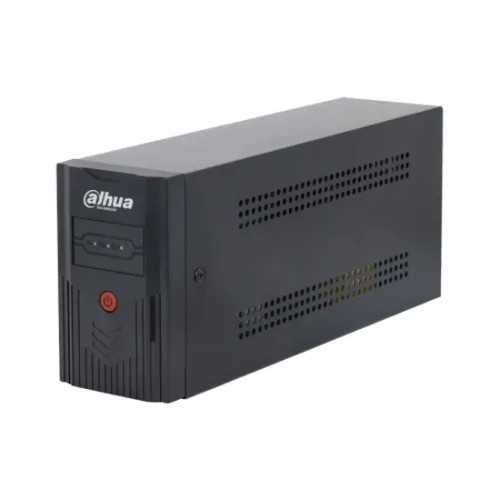
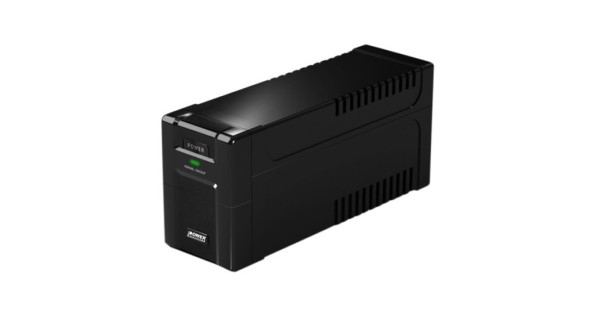
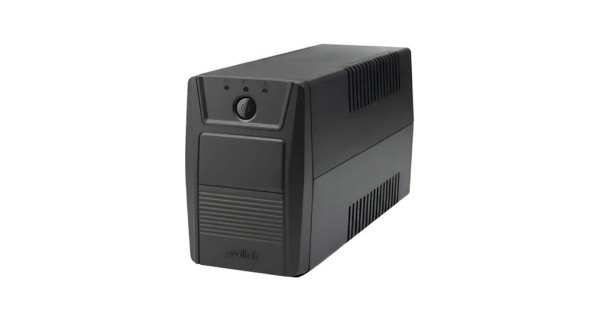
Prices and availability are as listed on the Tech Valley website at the time of writing and may change. Please confirm current price, stock and delivery with customer care before ordering.
How Tech Valley Can Help
At Tech Valley Distributions Ltd in Agargaon, Dhaka, we sell authorized, genuine products with official brand warranty and an after-sales service centre. You get free pre-sale consultation, so we can look at your devices, estimate the load and recommend a suitable UPS, and we can build a matching custom PC if you are upgrading. We offer EMI, accept bKash and Nagad, and deliver to all 64 districts.
Frequently Asked Questions
Can I connect a printer to my UPS?
It is best not to connect laser printers to a regular computer UPS. They draw a large surge when warming up, which can overload the unit. If you must protect a printer, ask our team about a model with a suitable rating.
How long will a UPS run my computer?
It depends on the load, battery capacity and battery age. A larger load or an older battery means shorter backup. Check the backup chart in the product specification and treat it as an estimate.
Is an online UPS necessary for home use?
Usually not. An offline or line-interactive UPS is enough for most home computers. Choose online for servers or sensitive equipment.
How often should I replace the UPS battery?
Battery life depends on temperature, usage and how often the power goes out, so there is no fixed date. Watch for shorter backup and fault warnings, and have the battery tested if you are unsure.
Can I use a UPS for my Wi-Fi router?
Yes. A standard UPS works, but a small DC mini UPS is usually a better fit because routers and ONUs use very little power. Check that the voltage and plug match your device.
Does a UPS protect against voltage spikes?
Most UPS units offer some protection against surges and unstable voltage, but the level varies by type and model. For lightning-prone areas, ask about additional surge protection.

There are no comments for this Article.