
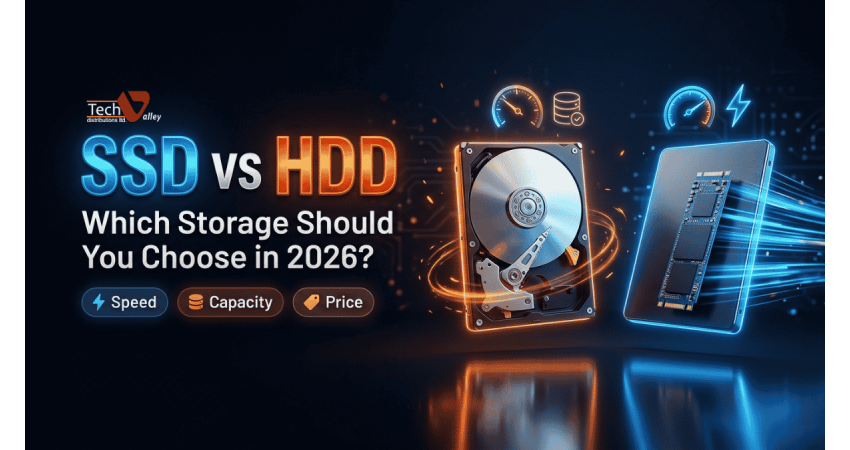
SSD vs HDD: Which Storage Should You Choose in 2026?
Every computer needs somewhere to keep your files, and for years the choice was simple: buy a hard disk. Today solid-state drives are common in laptops and PCs, while hard disks still rule where huge capacity matters. If you are shopping in Dhaka and wondering whether to check the latest SSD price in Bangladesh or stay with a traditional drive, this guide will help you decide without jargon.
How a Hard Disk Drive (HDD) Works
A hard disk is a small mechanical machine. Inside the metal case are one or more spinning platters coated with a magnetic layer. A thin arm with a read/write head moves across the surface and reads or changes tiny magnetic patterns that represent your data.
This design is cheap to scale up, but moving parts are slower and easier to damage. When you browse HDD price in Bangladesh listings, you are mostly paying for capacity rather than speed.
How a Solid-State Drive (SSD) Works
An SSD has no moving parts at all. It stores data in flash memory chips, similar in spirit to a USB pen drive but far more advanced, and a controller chip manages where everything is placed. With nothing to spin or move, it reaches any file almost instantly, so the PC boots quickly and feels responsive.
SATA SSD vs NVMe SSD in Simple Terms
Not every SSD is the same. A SATA SSD usually comes in the 2.5-inch shape and connects with the same type of cable as an older hard disk. It is a great upgrade for older machines. An NVMe SSD is a small stick, normally in the M.2 format, that plugs directly into the motherboard and talks to the processor through a much faster pathway. In everyday use NVMe drives are several times faster than SATA drives on paper; in daily use the gap between SATA and NVMe is smaller than the gap between any SSD and a hard disk.
Pro Tip
If your computer is more than seven or eight years old and has no M.2 slot, a SATA SSD is the safest and most cost-effective upgrade.
Speed and Real-World Feel
With a hard disk, Windows can take a minute or more to become usable and games show long loading bars. With an SSD, startup takes seconds and apps open almost immediately. SSD speeds are several times higher than hard disks, and random access is dramatically better.
Durability, Noise and Power Use
An SSD handles bumps and vibration far better, which matters for laptops carried through Dhaka traffic. A hard disk dropped while running can lose data. SSDs are also silent and use less power, while hard disks hum and click.
| Feature | HDD | SSD |
|---|---|---|
| Technology | Spinning magnetic platters | Flash memory chips |
| Speed feel | Slower boot and loading | Fast boot, instant app launch |
| Shock resistance | Weaker, moving parts | Stronger, no moving parts |
| Noise | Audible spin and clicks | Silent |
| Power and heat | Higher in general | Lower in general |
| Cost per GB | Lower, best for bulk storage | Higher, best for speed |
| Capacity options | Very large drives available | Growing, but large sizes cost more |
Capacity and Cost per GB
This is where hard disks still win. For the same budget you can buy far more terabytes of HDD than SSD, so when you need to store thousands of videos, years of photos or days of CCTV footage, a hard disk remains the sensible choice. Prices change often, so always compare current listings.
Lifespan and Endurance (TBW) Explained Simply
Flash memory can only be rewritten a limited number of times, so SSD makers publish an endurance rating called TBW, which stands for terabytes written. It tells you roughly how much data can be written to the drive over its life under warranty. A normal home or office user rarely comes close to the limit, while video editors should look at higher TBW models.
Hard disks have no TBW rating, but their mechanical parts wear with time. No drive lasts forever, so backups matter.
Quick Note
Check the warranty length and TBW figure together. A longer official warranty shows brand confidence.
Best Uses: Which Drive for Which Job?
Ask which job the drive must do. This split works for most buyers.
| Use case | Best choice | Why |
|---|---|---|
| Windows and apps | SSD (SATA or NVMe) | Fast boot and smooth multitasking |
| Gaming | SSD, ideally NVMe | Shorter loading and quicker level changes |
| Video and photo editing | NVMe SSD for projects, HDD for archive | Fast timeline response, cheap long-term space |
| Backups | HDD or external drive | Low cost per GB for large copies |
| CCTV and surveillance | Surveillance-rated HDD | Built, 24/7 |
| Movie and music library | HDD | Capacity matters more than speed |
For CCTV in particular, choose a drive designed for continuous recording rather than a standard desktop model. You can explore Seagate hard disk drive ranges.
The Hybrid Setup: Best of Both Worlds
You do not have to pick only one. The most popular arrangement for desktops is a smaller SSD for Windows, programs and favourite games, plus a larger HDD for documents, videos and backups. You get fast daily performance without paying SSD rates for every gigabyte. If you are choosing parts for a new build, browse our PC components in Bangladesh collection or ask for help with our custom PC builder.
Office and Study
A single SATA or NVMe SSD is usually enough. Add a portable drive for backups.
Gaming and Creators
An NVMe SSD for the system and games, plus a large HDD for recordings and archives.
Storage and CCTV
One or more surveillance or NAS-grade HDDs, with the system running on a small SSD.
How Much Capacity Should You Buy?
For a Windows system drive, think of 256 GB as a bare minimum and 512 GB as a comfortable starting point. Gamers and editors should aim higher. Buy one size larger than you think you need, because drives work best when not packed full.
Portable SSD vs Portable HDD
External drives follow the same logic. A portable SSD in Bangladesh is small, light, quick and tolerant of bumps for students and photographers. A portable hard disk is bulkier and slower, but it gives you far more space for the money, so it suits long-term backups. If that is your priority, check the current portable hard disk price in BD listings.
Upgrading an Old Laptop or PC: Step Overview
Swapping in an SSD is one of the easiest ways to give an older machine a second life. The general process looks like this:
- Check what your device supports: a 2.5-inch SATA bay, an M.2 slot, or both.
- Back up your files first.
- Buy a compatible SSD, and if needed a mounting bracket or adapter from our computer accessories in Bangladesh section.
- Clone your old drive or install Windows fresh, then set the SSD as first boot device.
Our after-sales service center can help if you prefer not to open the case. Buyers shopping for a new machine can also compare models in our laptop price in Bangladesh category, where many come with SSD storage already installed.
Back Up Your Data with the 3-2-1 Rule
Whichever drive you pick, it can fail one day. The 3-2-1 rule is an easy habit that protects you: keep three copies of important data, store them on two different types of media, and keep one copy in a separate location, such as cloud storage or a drive at another address. For example: files on your SSD, a copy on an external hard disk, and a third copy in the cloud.
Pro Tip
Set an automatic weekly backup to an external drive instead of relying on memory.
Common Mistakes to Avoid
- Buying an unbranded drive with no clear warranty.
- Choosing NVMe without checking whether the motherboard or laptop supports it.
- Using one drive as the only copy of important files.
- Putting a desktop hard disk in a CCTV recorder that runs day and night.
Popular Storage Brands You Will Find
Most buyers meet the same trusted names, summarised below. If you prefer to shop by brand, start with Western Digital SSD or SanDisk SSD price in BD pages.
| Brand | Commonly known for |
|---|---|
| Western Digital | Internal SSDs, hard disks and portable drives |
| Seagate | Hard disks, surveillance and external storage |
| Toshiba | Dependable hard disks and external drives |
| SanDisk | Portable SSDs, flash drives and memory cards |
| Corsair, Gigabyte | High-performance NVMe SSDs for gaming and builds |
| Apacer, PNY, Transcend | Value-focused SSDs and upgrade drives |
Your SSD and HDD Buying Checklist
- Decide the job first: system drive, game library, backup or CCTV.
- Confirm compatibility: SATA bay, M.2 slot, or external USB port.
- Pick a capacity one step above your current need.
- Compare warranty length and TBW for SSDs.
- Choose a surveillance-rated HDD for recorders.
- Buy only from an authorized seller that provides official brand warranty.
At Tech Valley Distributions Ltd in Dhaka we sell authorized and genuine products with official brand warranty, EMI options, bKash and Nagad payment, and delivery to all 64 districts. Our Agargaon team offers free pre-sale consultation.
Final Verdict
In 2026 the answer for most people is simple: SSD for your system, programs and games, and a hard disk for bulk storage, backups and CCTV. If you can afford only one drive for a laptop, make it an SSD.
Frequently Asked Questions
Is an SSD really worth it over an HDD?
For a system drive, yes. Boot times, app launches and general responsiveness improve far more than with almost any other single upgrade. For storing large files you rarely open, an HDD is still good value.
Can I use an SSD and an HDD together?
Yes, and it is a very common setup. Install Windows and your main programs on the SSD, and use the HDD for documents, media and backups.
Do SSDs wear out quickly?
Not for normal users. The TBW rating is high enough that typical home and office use rarely reaches it within the warranty period. Heavy writers should pick a higher-endurance model.
Is NVMe always better than SATA SSD?
NVMe is faster on paper, but only if your device supports it. For older computers, a SATA SSD gives a big improvement at a friendlier cost, and everyday tasks will feel similar on both.
Which drive is best for CCTV storage?
A surveillance-rated hard disk is the usual choice, because it is designed for continuous recording and offers large capacity at a sensible cost.
Should I buy a portable SSD or a portable HDD?
Choose a portable SSD if you want speed, small size and toughness for daily carrying. Choose a portable HDD if you mainly need cheap, large backup space and do not mind a slower, bulkier drive.
How much storage do I need in a new laptop?
Aim for at least 512 GB if you can. That leaves room for Windows, apps and projects without crowding the drive.

There are no comments for this Article.