
How to Choose a Wi-Fi Router and Network Switch for Home and Office in Bangladesh
Many Bangladeshi families and offices say, "The internet is slow, call the ISP." Often the line from the provider is perfectly fine, and the real problem is an old router, a bad position in the flat, a weak cable or a switch that cannot handle the number of devices.
This guide explains, in plain English, how to choose a Wi-Fi router and a network switch for a home, a small shop or a growing office. Everything here is general guidance, so you can use it with any ISP and any brand. If you want to compare real options as you read, browse the Tech Valley computer and networking shop in Dhaka.
Why Slow Wi-Fi Is Not Always the ISP's Fault
Your ISP delivers internet to a box on your wall. After that point, everything depends on your own equipment. An old router, thick walls, crowded neighbouring networks or a damaged cable can all limit speed even when the plan is fast.
A simple test tells you a lot. Connect a laptop directly to the router with a LAN cable and check the speed. If the wired result is good but Wi-Fi is poor, the issue is inside your home or office, not with the provider. Only if the wired result is also poor should you complain to the ISP.
Pro Tip
Test at the router first, then in the room where you actually work.
Router vs Modem/ONU vs Switch vs Access Point
These four devices are often confused, and buying the wrong one is a common mistake. Each has a separate job, and many homes only need the first two.
| Device | What it does | Who needs it |
|---|---|---|
| Modem / ONU | Receives the signal from your ISP (copper, or fiber through an ONU) and converts it into a normal network connection. | Everyone with broadband; usually supplied or configured by the ISP. |
| Router | Shares that connection with all your devices, creates Wi-Fi, assigns addresses and provides basic firewall protection. | Every home and small office. |
| Network switch | Adds more wired LAN ports so computers, printers, TVs and cameras can connect by cable. | Anyone who runs out of router ports. |
| Access point | Adds Wi-Fi coverage in another area, connected back to the network by cable. | Larger flats, shops and offices with weak corners. |
Wi-Fi 5, Wi-Fi 6 and Wi-Fi 7 Explained Simply
Wi-Fi 5 is the older generation still found in many budget routers and is fine for light browsing and a few devices. Wi-Fi 6 is the sensible choice for most buyers today because it handles many connected devices more smoothly, which matters when phones, TVs, laptops and smart gadgets all share one connection. Wi-Fi 7 is the newest generation, aimed at people who want future-ready gear and own compatible devices.
Dual-Band and Tri-Band
Dual-band routers broadcast on two frequencies. The 2.4 GHz band travels farther and passes through walls better, but it is more crowded and slower. The 5 GHz band is faster and cleaner, but covers a shorter distance. Tri-band routers add a third band for busy homes and offices; for most apartments, dual-band is enough.
Quick Note
Do not judge a router by its "total speed" label alone; it is usually the combined figure of all bands.
Placement and Coverage in Dhaka Apartments
Dhaka flats have thick walls and long corridors, which is hard on Wi-Fi. The best spot for a router is central, raised off the floor and in the open, not inside a cabinet, behind the TV or next to the ONU in a corner by the door.
If one router cannot cover every bedroom, you have three sensible options: move the router to a more central point, add a wired access point, or use a mesh system. A mesh system is a set of matching units that work together as one network, so your phone moves between them automatically without you changing the Wi-Fi name.
Ports, Gigabit and Antennas: Reading the Specifications
Every router has one WAN port, which connects to the ONU or ISP line, and several LAN ports for your wired devices. Look for gigabit ports on both. Older 100 Mbps ports can become a hidden bottleneck on a fast plan.
If you want to compare options by brand and budget, start with the full range of Wi-Fi router price in Bangladesh, then narrow down using the checklist later in this guide.
Security Settings You Should Never Skip
A router is the front door of your network, so a few minutes of setup protects every device behind it.
- Change the default admin username and password immediately after installation.
- Use WPA2 or WPA3 security with a long, unique Wi-Fi password.
- Turn on a guest network for visitors, so they never touch your computers, printers or cameras.
- Check for firmware updates regularly, because updates fix security problems and improve stability.
Pro Tip
Keep your router login and Wi-Fi password written down somewhere safe, so you never need a factory reset.
Managed vs Unmanaged Switches
An unmanaged switch is plug-and-play. You connect it, attach your cables and it works, with no settings to configure. Ideal for homes and small offices. A managed switch lets an IT person create VLANs, limit traffic and monitor ports. You only need it if your office has separate departments, many cameras or a technician who will manage it.
When you shop, check that the switch has gigabit ports, because a 100 Mbps model will slow down file transfers and backups. You can compare available models in our gigabit network switch price in Bangladesh collection.
PoE Switches for IP Cameras and Access Points
PoE stands for Power over Ethernet. A PoE switch sends both data and power through one LAN cable, so an IP camera or ceiling access point needs no separate power adapter nearby. Check the switch's total power budget against your number of cameras and access points.
How Many Ports Do You Need?
| Setup | Typical wired devices | Suggested approach |
|---|---|---|
| Home | 1 to 3 (desktop, TV, printer) | Router's own LAN ports, or a small unmanaged switch. |
| Small office or shop | 5 to 15 (PCs, printers, POS, camera recorder) | Gigabit router plus an unmanaged switch with spare ports, and an access point if needed. |
| Larger office | Many PCs, phones, cameras and access points | Managed or PoE switches, several access points and planned cabling. |
Cabling: Cat5e, Cat6, Patch Cords and Fiber Basics
Cat5e supports gigabit speeds for normal runs. Cat6 offers better headroom and suits new in-wall cabling, which you rarely want to redo.
Short patch cords connect your devices to wall points or switches. For longer or building-to-building links, fiber carries data farther than copper. If you are planning a new installation, browse our Cat6 UTP cable and patch cord price in Bangladesh range, and for longer links see the fiber optic cable and accessories in Bangladesh section.
Useful Network Accessories
Cable testers, RJ45 connectors, keystone jacks and patch panels make a network easier to maintain; see the networking accessories price in Bangladesh for the full list. Load-shedding and voltage fluctuation can damage routers, so a small UPS for router and ONU backup in Bangladesh keeps your internet running through short outages. For general add-ons, see computer accessories in Bangladesh collection.
Troubleshooting Slow Wi-Fi Step by Step
Before you buy anything, try these steps in order. Each one is quick and free.
1. Restart and test
Power off the ONU and router for a minute, then start the ONU first and the router second. Test speed beside the router.
2. Check cables and band
Reseat every LAN cable and replace damaged ones. Move distant devices to the 2.4 GHz band and nearby ones to 5 GHz.
3. Update and reposition
Install the latest firmware, change the Wi-Fi channel if the area is crowded and move the router to a central, open spot.
Home vs Small Office vs Larger Office
A home usually needs one good Wi-Fi 6 dual-band router with gigabit ports, strong security settings and a central position. Larger flats can add mesh units or a wired access point. A small office or shop benefits from a reliable router, a gigabit unmanaged switch with spare ports, a separate guest network and a UPS to protect the ONU and router.
A larger office should plan its network with structured Cat6 cabling, managed or PoE switches and several access points. Our team offers free pre-sale consultation and can suggest a layout.
Popular Brands: TP-Link, Netis and Hikvision
TP-Link is one of the most recognised networking brands in Bangladesh, with routers, mesh systems, switches and access points for homes and offices. Browse the current TP-Link router price in Bangladesh list if you want a familiar brand with wide support. Netis is popular for budget-friendly routers and simple setups, and you can compare models in the Netis router price in Bangladesh section. Hikvision is best known for CCTV and offers PoE-ready products that pair well with IP cameras. For a wider view of everything available, explore the full networking products in Bangladesh category.
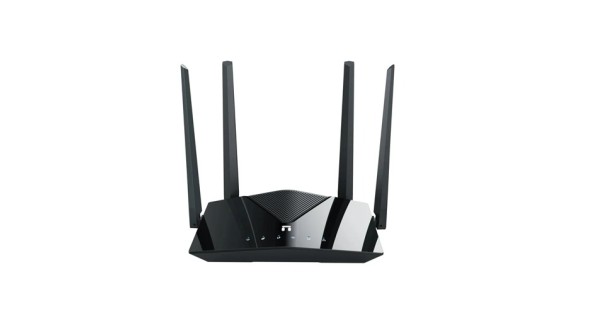
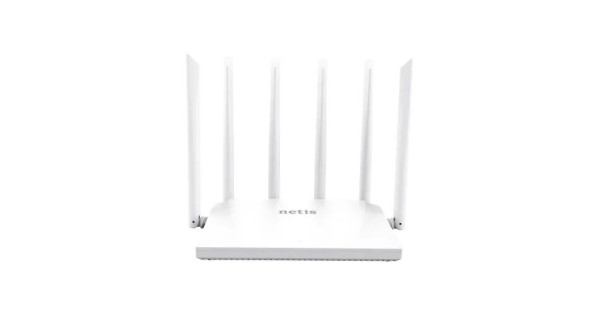
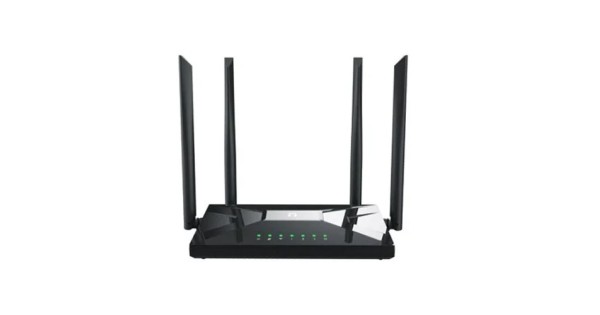
Prices and availability are as listed on the Tech Valley website at the time of writing and may change. Please confirm current price, stock and delivery with customer care before ordering.
Buying Checklist
Before you place an order, run through this short list:
- Does the router match your ISP plan, with gigabit WAN and LAN ports?
- Is the Wi-Fi standard (Wi-Fi 5, 6 or 7) right for your devices and budget?
- Will a single unit cover your space, or do you need an access point or mesh?
- Does the switch have enough gigabit ports, plus a few spare?
- Do your cameras or access points need PoE and a suitable power budget?
- Is the product genuine, with official brand warranty and a local service center?
Frequently Asked Questions
Is a Wi-Fi 6 router worth it for a normal home?
For most families with several phones, laptops and a smart TV, yes. Wi-Fi 6 handles many devices more smoothly than older routers. If you only have one or two light users, a good Wi-Fi 5 router can still be enough.
Do I need a managed switch for my office?
Most small offices do not. A gigabit unmanaged switch is simple and reliable. Choose managed only if you need VLANs, traffic control or detailed monitoring.
Is mesh better than a Wi-Fi extender?
Generally yes, because mesh units work as one network and devices move between them automatically. Basic extenders are cheaper but often create a separate network name and can reduce speed.
Should I use Cat5e or Cat6 cable?
Cat5e is fine for typical gigabit home use. Cat6 is a better choice for new in-wall cabling because it gives more headroom for the future.
What do I need to power an IP camera with one cable?
You need a camera that supports PoE and a PoE switch with enough power budget for all connected cameras. One LAN cable then carries both data and power.

There are no comments for this Article.